

























Key takeaways
 Best for customizable project management: monday.com earns 4.42 out of 5 for its visual project tracking, flexible workflows and automation capabilities, making it suitable for small to midsize teams.
- Strict automation limits and seat-based pricing: monday.com caps monthly automation actions by plan and uses seat bundles that may require teams to pay for more users than they need.
- Beginner-friendly interface with a learning curve for complex workflows: monday.com's color-coded columns and grid-style boards make it easy for beginners to navigate. However, configuring advanced workflows takes time.
monday.com review at a glance
| monday work management overview | |
|---|---|
| My overall rating | 4.42 out of 5 |
| Best for | Small to midsize teams that need customizable project workflows, visual task tracking and automated updates |
| Use cases | Marketing campaign management, project planning, task coordination, client approvals and recurring workflows |
| Starting price | Free plan available; paid plans start at $9/user/month (annual billing) |
| Ease of use | Visual interface and customizable templates simplify initial setup, although complex workflows require additional configuration |
| Limitations | Advanced resource management and some reporting capabilities require higher-tier plans; seat-based pricing can increase costs for smaller teams |
| Final verdict | monday.com earns 4.42 out of 5 for its customizable workflows and visual project management capabilities. It is suitable for teams managing collaborative projects and recurring processes. However, buyers should check minimum seat requirements and plan-specific feature restrictions before subscribing, especially if they need advanced resource planning or portfolio reporting. |
My methodology
I evaluated monday.com using six criteria that reflect what project managers need from work management software. Each category carries a different weight based on its importance to project planning, team coordination, and software purchasing decisions.
My evaluation considers how monday.com supports project management activities, including task assignment, deadline tracking, and progress reporting. I also examine the capabilities available at each subscription tier to determine whether teams can access the tools they need at a reasonable cost.
| Evaluation criteria | Weight | What I assessed |
|---|---|---|
| Core project management features | 25% | Task management, project views, dependencies, milestones and progress tracking |
| Advanced project management capabilities | 20% | Resource allocation, portfolio management, dashboards, automation and AI capabilities |
| Pricing and value | 20% | Subscription costs, seat requirements, feature restrictions and additional usage charges |
| Ease of use and customization | 15% | Navigation, project setup, templates, workflow configuration and learning curve |
| Collaboration and integrations | 10% | Team communication, guest access, file sharing and third-party integrations |
| Customer support and reliability | 10% | Support availability, documentation, training resources and reported product issues |
| Total | 100% |
Each category is rated on a five-point scale, with its weighted score contributing to the overall rating. Higher scores reflect how well the software meets the evaluation criteria and the extent of its limitations.
I also consider how plan restrictions affect different types of project teams. For example, a feature available only on a higher-priced plan may reduce the software's value for a smaller team, even if the capability itself is comprehensive.
Why you can trust Project-management.com
Over the past four years as a project management writer, I have personally tested nearly 20 PM platforms, and several of them have become part of my own workflow. I have written dozens of buyer’s guides covering a wide range of use cases and company sizes, which gave me a broader understanding of what project professionals actually need from these tools. Beyond hands-on testing, I design custom scoring rubrics for each evaluation to make sure every platform is assessed accurately and on equal footing, not ranked on gut feel or vendor claims.
Marianne Sison
Senior Staff Writer for Project Management

Hands-on testing approach
For my hands-on evaluation, I created a six-week website launch project with five simulated team members. The project includes task assignments, dependent deadlines, and client approval requirements.
I use this scenario to examine how monday.com handles common project management challenges, particularly schedule changes and resource conflicts. Each test compares the expected outcome with the platform's actual behavior, including any manual adjustments required.
The evaluation focuses on three questions:
- Accuracy: Does monday.com reflect task changes and resource availability correctly?
- Configuration: How much setup is required for the feature to work as intended?
- Reliability: Can project managers depend on the results when making scheduling or resource decisions?
What is monday.com?
monday.com is an AI work management platform that helps teams plan projects, track tasks, and automate workflows. Its color-coded boards and customizable project views make it accessible to beginners, while advanced features support resource planning and dashboards that track progress across multiple projects.
monday.com is best suited for:
- Small to midsize teams managing collaborative projects and recurring workflows.
- Marketing and operations teams that need customizable boards and workflow automation.
- Non-technical users who prefer visual project tracking.
monday.com is less suited for:
- PMOs managing complex project dependencies across large programs.
- Organizations requiring advanced portfolio forecasting or critical path scheduling.
New to monday? Here’s a quick intro: What is monday.com?
monday.com pricing
monday.com offers a free plan for up to two users, with paid plans starting at $9 per seat per month, billed annually. Paid subscriptions use predefined seat bundles, which means your bill may include more seats than your team needs.
The Standard plan provides Gantt charts, task dependencies, and basic automation. Teams requiring workload management or higher automation allowances will need Pro.
monday.com plans and pricing
| Plan | Monthly billing | Annual billing* | Best for |
|---|---|---|---|
| Free | $0 | $0 | Individuals and two-person teams |
| Basic | $12/seat | $9/seat | Simple task management |
| Standard | $14/seat | $12/seat | Project scheduling and automation |
| Pro | $24/seat | $19/seat | Resource planning and advanced workflows |
| Enterprise | Custom | Custom | Large organizations with complex administrative requirements |
Annual prices represent the monthly equivalent when billed yearly. Prices are in USD and exclude taxes or additional AI charges.
What you get with each plan:
- Free: Up to two users and three boards. Suitable for basic task tracking but excludes Gantt charts and automations.
- Basic: Unlimited boards and items, but no workflow automation or Gantt charts.
- Standard: Gantt views, task dependencies, and 250 automation actions per month, plus a separate allowance of 250 integration actions.
- Pro: Workload management, time tracking, and 25,000 monthly automation actions, plus 25,000 integration actions.
- Enterprise: Advanced security controls and administrative features, with custom pricing and a minimum 12-month commitment.
Watch the automation limits. Standard's 250 monthly automation actions may be insufficient for frequently updated projects. For example, an automation that executes 15 times per working day would consume approximately 300 actions over 20 days, assuming one billable action per execution.
How seat bundles affect your actual cost
monday.com sells paid seats in predefined quantities, starting with three seats and moving to bundles of five, ten, and fifteen. A seven-person team, for example, must purchase ten seats.
The following examples use Standard plan pricing:
| Active users | Seats billed | Monthly plan | Annual plan (per month) |
|---|---|---|---|
| 3 | 3 | $42 | $36 |
| 5 | 5 | $70 | $60 |
| 7 | 10 | $140 | $120 |
| 12 | 15 | $210 | $180 |
Illustrative subscription costs before taxes, AI credits, or discounts.
For seven active users, the Standard plan costs $120 per month under annual billing, equivalent to $17.14 per active user rather than the advertised $12 per seat. Teams with fluctuating headcounts should account for unused seats when estimating subscription costs.
Is monthly or annual billing cheaper?
Annual billing costs less over a full year but requires an upfront commitment. Monthly subscriptions cost more at the published rates and offer greater flexibility for teams with changing requirements.
For example, a ten-seat Standard subscription costs:
- Monthly billing: $140/month, or $1,680 over 12 months.
- Annual billing: $120/month equivalent, or $1,440 paid annually.
Annual savings: $240.
Annual billing is more economical for teams with predictable staffing needs. For short-term projects or initial evaluations, monthly billing avoids a full-year subscription commitment.
How do monday.com AI credits affect pricing?
monday.com introduced a credit-based AI purchasing model for eligible new accounts starting May 6, 2026. Under this model, customers select an AI credit package in addition to their user seats.
Minimum monthly AI credit allocations are:
| Plan | Minimum monthly AI credits |
|---|---|
| Basic | 1,000 |
| Standard | 2,000 |
| Pro | 3,000 |
| Enterprise | Custom |
AI features consume different amounts of credits based on the activity. For example, AI blocks use a published rate of eight credits per action, while AI Notetaker consumes 120 credits per meeting hour.
Example: AI credit consumption on Standard
Consider a project team that processes 150 AI block actions and records four meeting hours in one month.
| AI activity | Credits used |
|---|---|
| 150 AI block actions × 8 credits | 1,200 |
| 4 meeting hours × 120 credits | 480 |
| Total consumed | 1,680 |
| Remaining credits | 320 |
This example uses 84% of Standard's 2,000-credit minimum allocation. Actual usage may differ because some AI block executions on the same item within a 24-hour period are counted together.
Current introductory promotions may offset the cost of minimum AI credit packages for eligible customers. Additional credit purchases can increase the subscription total, while existing accounts may follow different pricing arrangements.
Before choosing a plan, calculate the cost of the required seat bundle and check whether its automation allowances can support your expected workload. Teams that use AI frequently should also estimate monthly credit consumption to avoid unexpected charges.
Ease of use
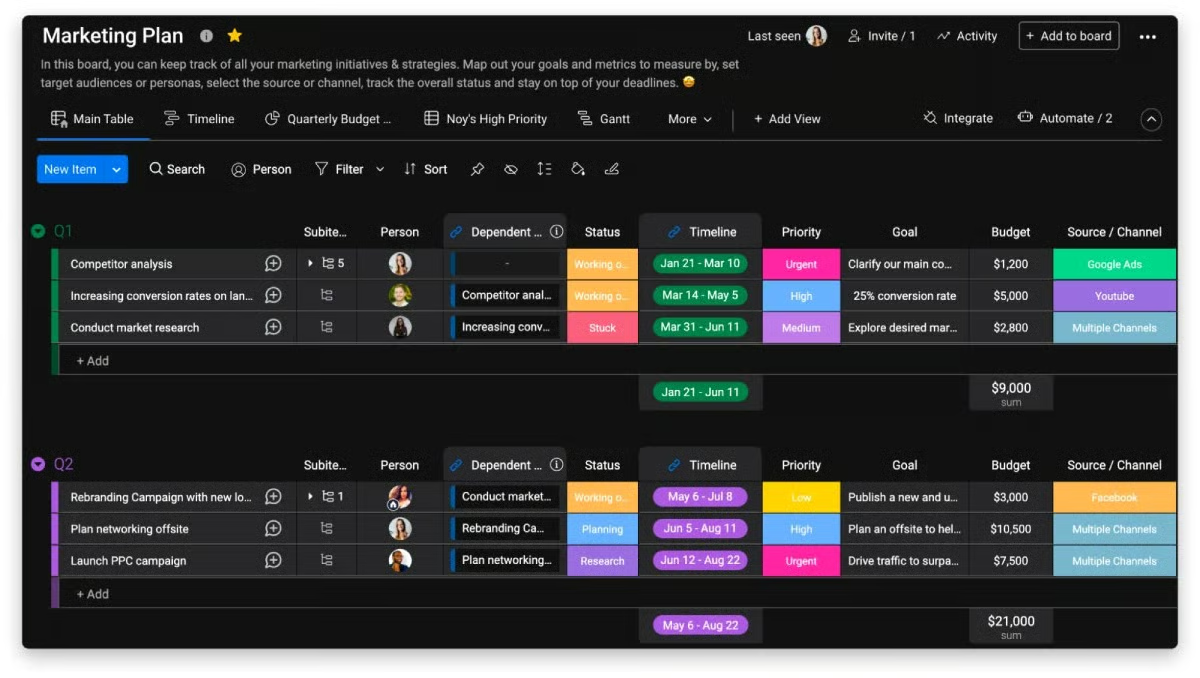
monday.com is one of the most intuitive project management tools I’ve tested, and recent customer reviews highlight its ease of use. During the initial setup, I can choose from pre-built templates that closely match my workflow. Otherwise, if I want to import existing data, monday.com makes it easy to turn it into a working board in just a few clicks.
It’s also worth noting that monday.com was the first project management tool I used, and I remember the board setup being easy to pick up. My favorite tool was the drag-and-drop functionality, which lets me move tasks across rows and columns. The grid-style interface also remains user-friendly as projects grow more complex. And since my team tracks large volumes of project data, color-coded columns let me scan statuses at a glance.
monday.com features
monday.com offers customizable project boards, scheduling tools, and workflow automation. Its flexibility allows users to adapt the platform to different project requirements, although some capabilities have restrictions that become apparent when projects grow or require coordination across multiple boards.
Task management & project setup
In my testing, monday.com’s grid-style boards made it easy to organize deliverables by project phase or category, while subitems let me break larger tasks into smaller pieces. I could also switch between project views without recreating tasks or moving project data.
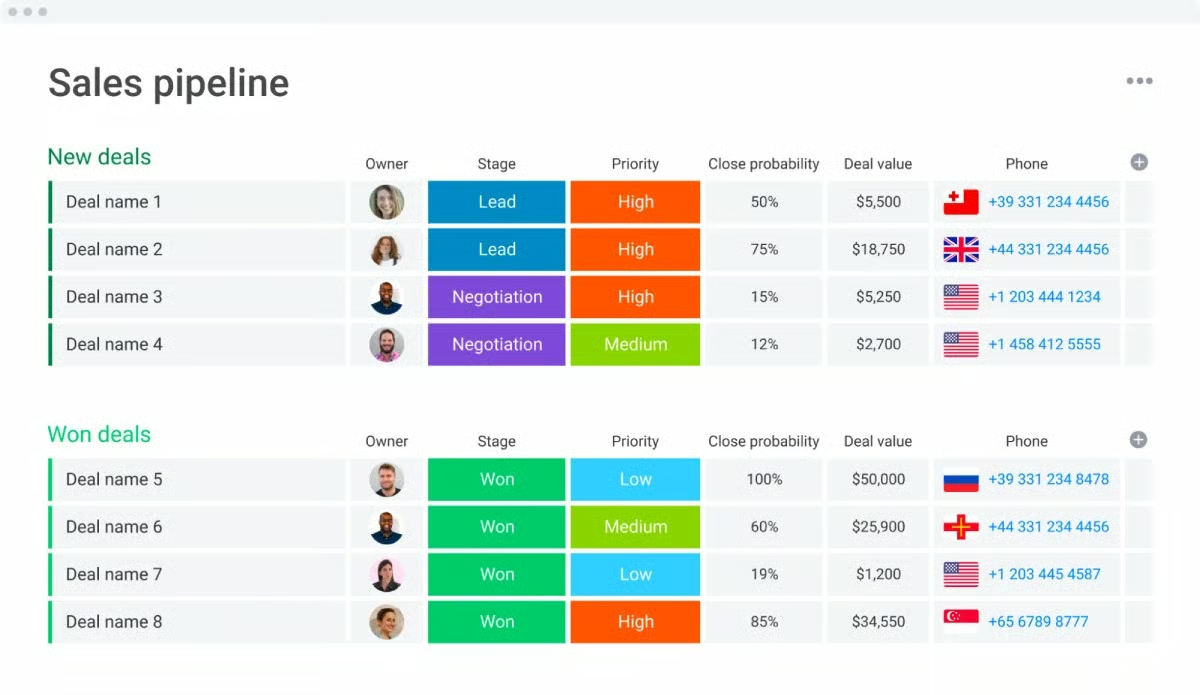
I could adapt the board to an existing process by adding approval stages and custom fields, then save the configuration as a template for recurring projects. This gave me control over how work moved from assignment through review without requiring a new board for each workflow.
Importing an existing project plan required more cleanup. monday.com’s Excel importer processed only the first worksheet, and imported subitems appeared as regular items until I converted them manually. For a complex project schedule, I would review the imported task hierarchy before assigning owners or adding dependencies.
Gantt charts & task dependencies
monday.com's Gantt view displays task relationships and project milestones, while dependency settings determine how schedule changes affect successor tasks. Its dependency settings offer three modes: Flexible, Strict, and No action. Strict mode adjusts dependent dates when a predecessor changes, while Flexible mode prevents overlapping schedules.
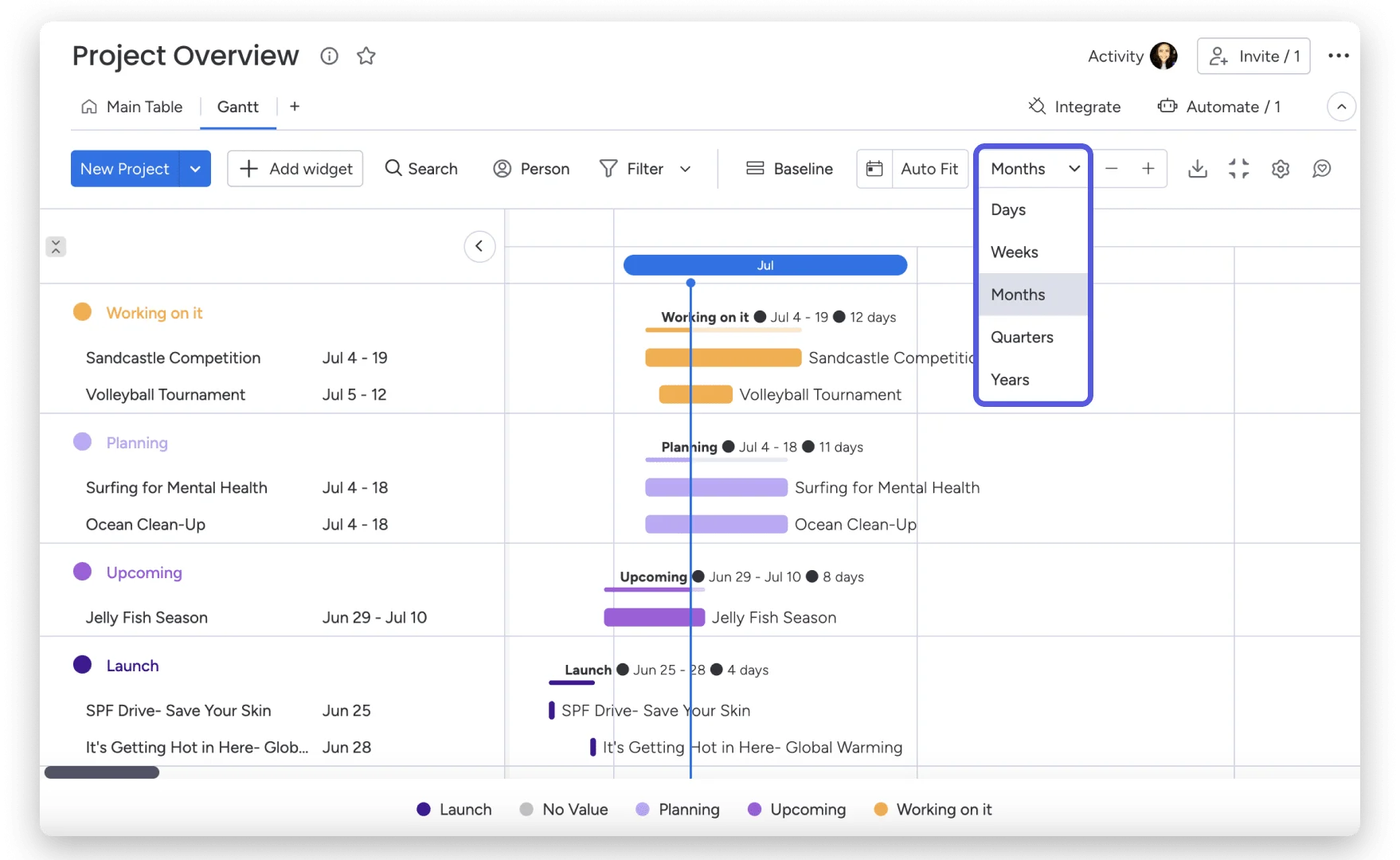
However, it's worth noting how monday.com handles schedule revisions. Although Strict mode supports lead and lag time, batch date changes are unavailable when dependencies are active. This could require me to update tasks individually when revising a large project schedule. I would also check how the platform handles weekends because dependency calculations can differ between Date and Timeline columns.
Collaboration & client approvals
I like how monday.com keeps comments and supporting documents within individual tasks. This lets me review feedback alongside the deliverable and refer to earlier discussions when resolving approval issues.
For client-facing projects, I would use shareable boards to give external reviewers access to selected work. However, I would need to verify their permissions, especially when a shared board contains mirrored information from another board.
No-code automation
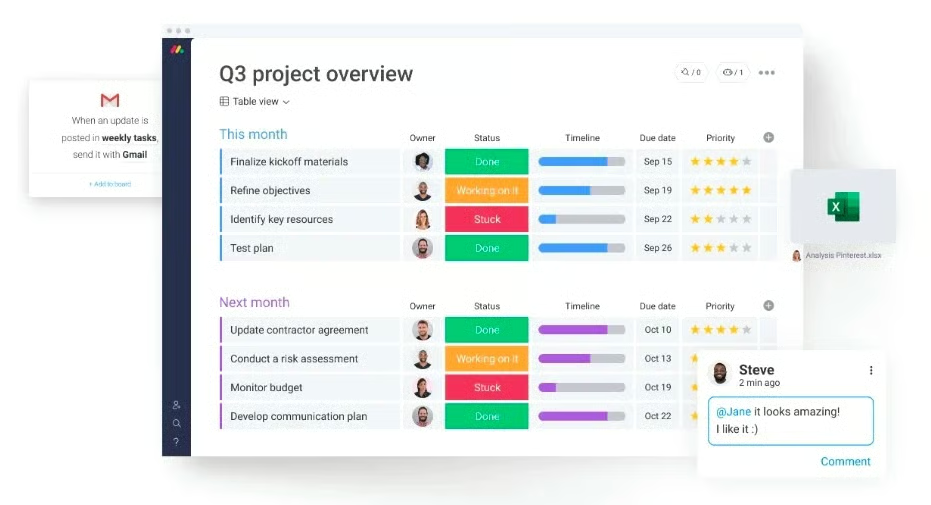
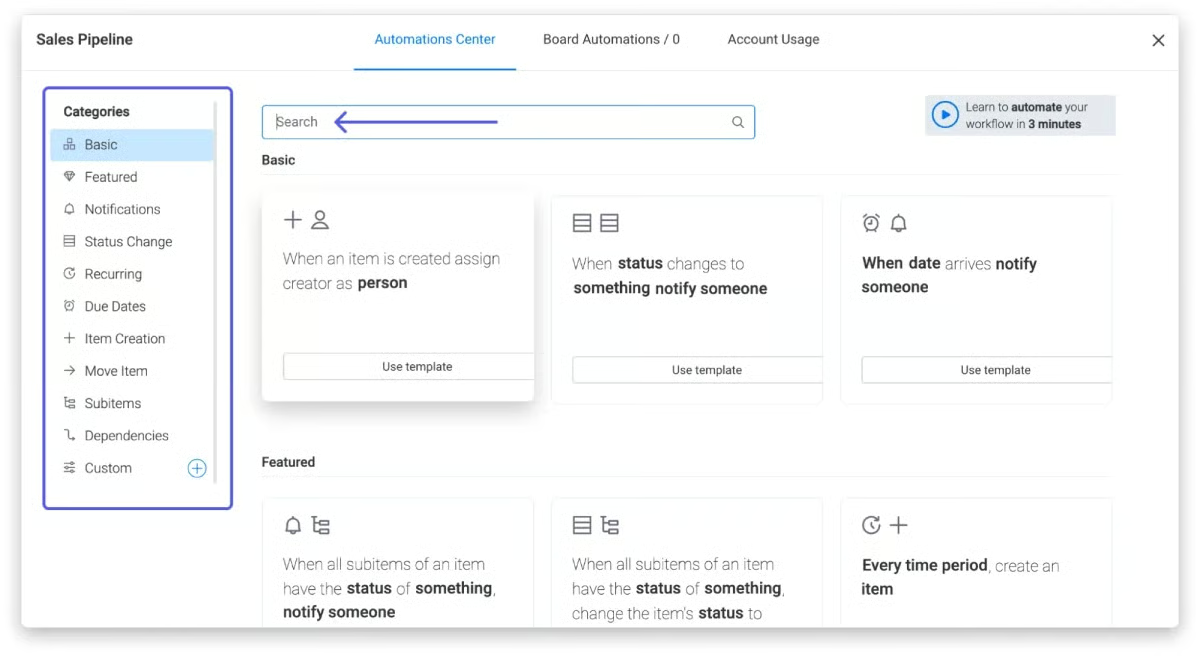
monday.com’s automation builder lets you set up trigger-based workflows without coding. For instance, you can automatically assign tasks when a status changes, enable deadline alerts, or move items to another board after meeting specific conditions. The Standard plan includes 250 automation actions per month, with 25,000 actions available on Pro and 250,000 actions on Enterprise.
The platform includes an automation template library for common workflows. For experienced users, the fill-in-the-blank setup allows users to create their own automation based on task movement.
Integrations
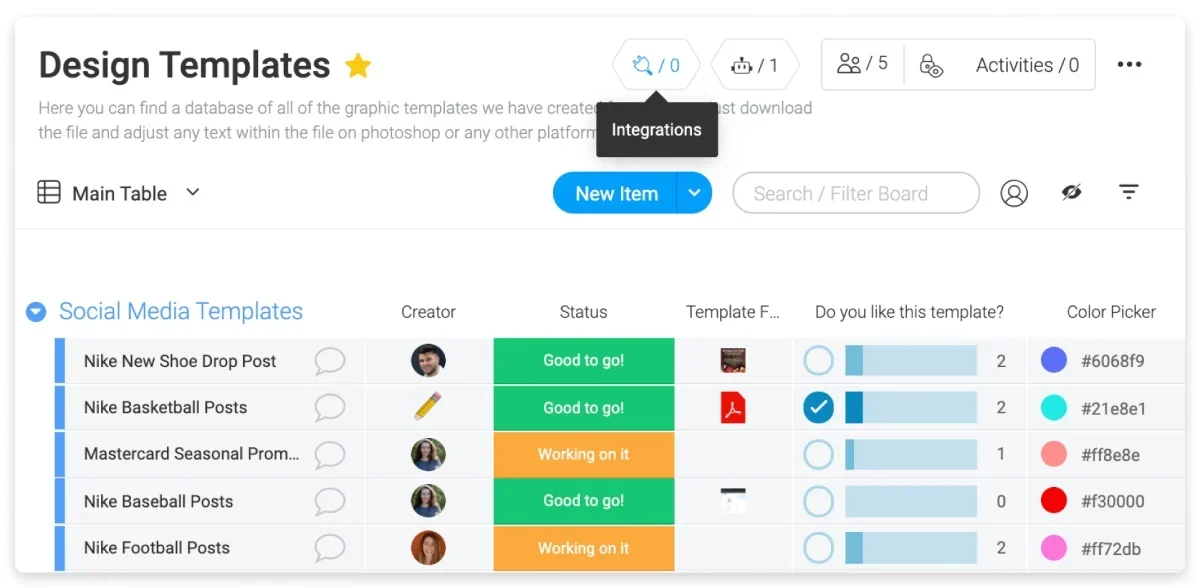
monday.com connects with over 200 third-party tools, including Slack, Google Workspace, Microsoft Teams, Zoom, Salesforce, and GitHub. While native integrations handle most common use cases, an open API is available for custom connections. The Standard plan includes separate monthly allowances of 250 automation actions and 250 integration actions. Teams that rely heavily on third-party integrations should check whether these limits can accommodate their expected usage.
Additionally, monday apps marketplace lets users add ready-made apps that expand the capabilities of monday.com.
Dashboards
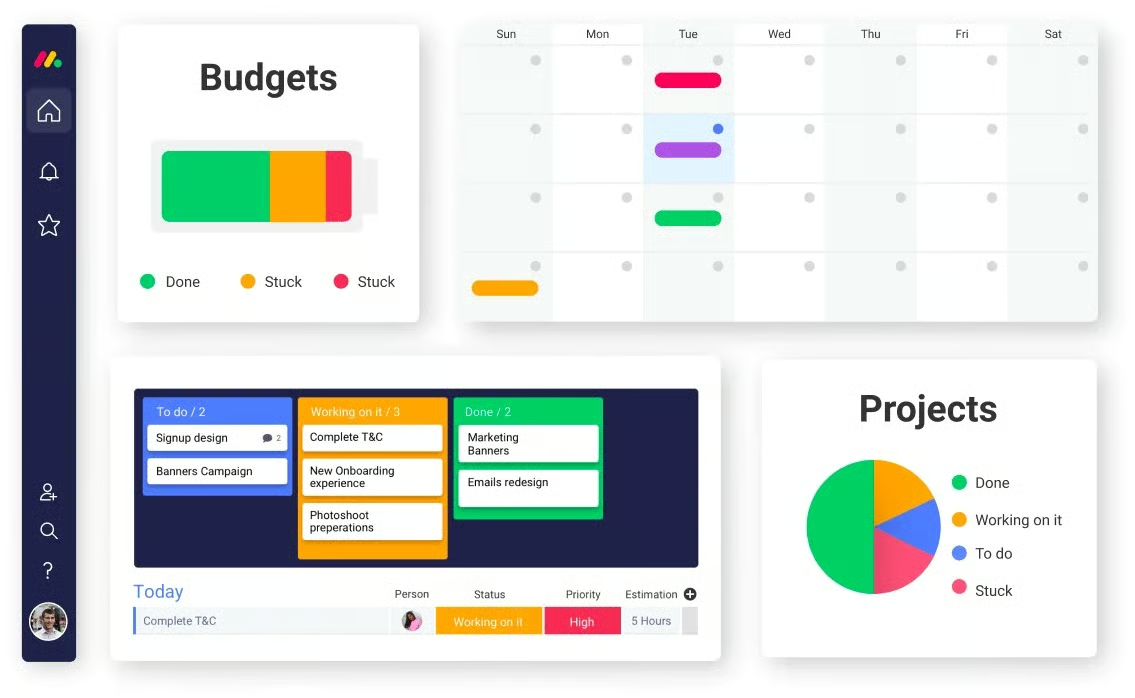
Dashboards pull data from across multiple boards into a single reporting view, giving team leads and managers a consolidated look at project progress, workload distribution, and key metrics. Widgets include charts, battery indicators, timeline views, and number summaries. The number of boards you can connect to a dashboard depends on your plan tier.
By using dashboards, users can view status overviews, calendars, chart insights, resource management metrics, tasks across boards, and time tracking in one place. This is especially useful for larger teams managing numerous projects and team members.
Customer support
monday project management offers users a variety of support options for onboarding and troubleshooting issues, including:
- Self-guided knowledge base
- Video tutorials
- Community forum
- 24/7 live chat
- Learning academy
While getting acquainted with monday.com, the self-guided knowledge base stood out to me because it walks you through the process with screenshots. They also have a YouTube channel and training courses where you can explore educational content and new feature releases.
How effective are monday.com's AI features for project management?
monday.com's AI tools can summarize project activity, identify risks, and execute tasks. Their effectiveness depends on output accuracy, manual corrections, and credit consumption, especially for teams that use AI frequently.
AI project summaries & task updates
monday sidekick can summarize overdue work and recommend next steps based on board data. However, incomplete records may cause AI to overlook project risks.
Before using AI-generated reports, project managers should verify:
- Deadline accuracy: Do reported delays match actual task dates?
- Missing risks: Does the summary identify unresolved dependencies and blocked tasks?
- Actionable recommendations: Are suggested next steps supported by project records?
AI agents & workflow execution
monday.com AI agents can update task statuses and execute workflows based on project instructions. Requests involving missing information or changes to dependent tasks require the agent to interpret context correctly before taking action. For example, an agent asked to extend a deadline should confirm the new date before modifying the schedule.
Key performance measures: First-attempt success rate and the number of manual corrections required.
AI limitations and credit consumption
monday.com's AI features have different credit requirements, which can affect the cost of recurring project activities.
| AI capability | Credit consumption |
|---|---|
| AI Portfolio Risk Insights | No credits |
| AI resource assignment | No credits |
| Simple Sidekick request | Typically 10–30 credits |
| Complex AI agent task | Approximately 150–250 credits |
Credit rates and availability depend on the applicable AI pricing model and account permissions.
Credits consumed per successful task provide a more accurate measure of AI usage costs. An agent that requires repeated attempts may consume more credits than the initial estimate. Teams should compare AI-generated results against actual project records and monitor credit usage before adopting these features for recurring workflows.
monday.com alternatives
If monday.com’s pricing or feature set does not match your needs, alternatives like ClickUp, Wrike, and Jira cater to more specialized requirements. ClickUp provides more functionality for the price, Wrike offers more detailed resource and capacity planning, while Jira focuses on Agile software development.
| Best For | Why choose it over monday.com | Starting price | |
|---|---|---|---|
| Wrike | Workload and resource planning | Better suited to teams that need detailed workload visibility, capacity planning, and enterprise-level reporting. | $10/user/month |
| ClickUp | Teams seeking maximum functionality at a lower cost | Gives teams a wider set of AI-powered work management and collaboration tools, including Docs and Chat, within one platform. | Free plan; paid plans from $7/user/month |
| Jira | Agile software development teams | Provides extensive support for sprint planning, backlog management, and issue tracking for Agile development teams. | Free plan; paid plans from $9.05/user/month |
FAQs
Is monday.com worth it?
For most mid-sized teams, yes. monday.com’s combination of visual project tracking, no-code automation, and broad integrations justifies the per-seat cost at the Standard tier and above. Smaller teams or solo users will find better value in ClickUp or Trello, both of which offer more generous free plans.
How does monday.com compare to Asana?
monday.com handles cross-functional projects and automated workflows better, while Asana tends to suit teams that need strict task hierarchies and goal tracking. Asana’s free plan is also more generous than monday.com, supporting up to 10 users.
What are the pros and cons of monday.com?
Pros include an intuitive interface, flexible board customization, strong automation capabilities, and 200+ integrations. Cons include the three-seat minimum, time tracking limited to Pro and above, cost that scales quickly with team size, and weaker depth for software development workflows compared to Jira.