

























Key takeaways
Handling technology-driven projects often requires a different approach to project management, especially when development and operations teams need to collaborate. DevOps is one of the most widely used approaches in modern software teams, and its demand continues to grow as organizations aim for faster and more reliable delivery.
In this article, I walk through DevOps project management in detail, including how it works, the Agile frameworks it uses, key metrics, and its tool stack.
- What is DevOps in project management?
- The DevOps PM role: What changes for project managers
- Core frameworks for DevOps project management
- Measuring DevOps performance with DORA metrics
- Best practices for DevOps project management
- Essential tools for DevOps project management
- Common pitfalls and how to avoid them
- FAQs
What is DevOps in project management?
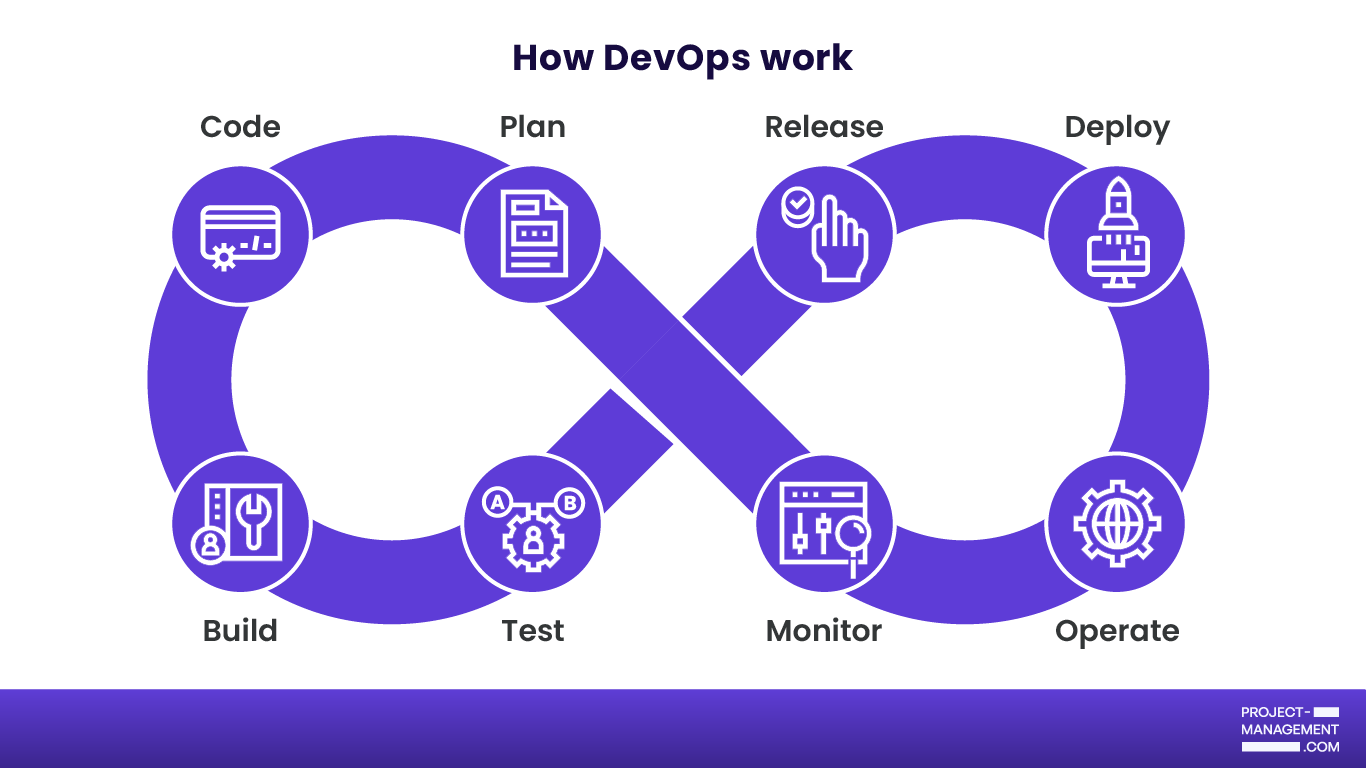
The Project Management Institute (PMI) defines DevOps as “the streamlining of the activities surrounding IT solution development (dev) and IT operations (ops).” In a traditional setup, developers pass code to QA, then QA hands it to operations for deployment, with each step adding delays and increasing the risk of miscommunication. DevOps project management solves this by merging people, processes, and tools across the software delivery lifecycle.
How DevOps differs from traditional project management
Traditional project management is built around predictability: a defined scope, a fixed timeline, and a handoff at the end of each phase. DevOps flips that model by treating software development as a continuous process and by expecting the product to keep evolving long after the first release.
DevOps teams also measure success differently. Instead of focusing only on deadlines and budgets, they rely on DORA metrics — a set of four key performance indicators that measure software delivery speed and stability: deployment frequency, lead time for changes, mean time to recovery (MTTR), and change failure rate.
The table below breaks down where DevOps and traditional project management diverge.
| Traditional project management | DevOps project management | |
| Delivery approach | One large release at the end of a project | Frequent, smaller releases throughout |
| Team structure | Development and operations work in separate phases | Development and operations work together |
| Planning style | Requirements defined upfront | Scope evolves based on feedback and priorities |
| Response to change | Change is controlled through a request process | Change is expected and accommodated |
| Success metric | On time, on budget, on scope | DORA metrics: deployment frequency, MTTR, change failure rate |
| Testing | Done at the end, before release | Continuous, throughout the dev cycle |
| Risk | Identified and mitigated upfront | Detected earlier through frequent releases and testing |
The DevOps PM role: What changes for project managers
Project managers still play a role in a DevOps environment, but the job looks very different. Instead of managing timelines and scope documents, a DevOps PM keeps cross-functional teams aligned, removes blockers, and makes sure the pipeline is visible to everyone who needs access.
New responsibilities & rituals
- Cross-team standups that include DevOps, QA, and sometimes security
- Pipeline visibility ensures dashboards, deployment logs, and incident histories are accessible and understood across teams
- Sprint retrospectives focused on delivery bottlenecks and team sentiment
- Incident coordination alongside ops and Site Reliability Engineering (SRE) teams during production issues
- DORA metric tracking and translating deployment frequency, MTTR, and change failure rate into a language that stakeholders can act on
- Dependency management across multiple services or microservices being developed and deployed in parallel
- Backlog prioritization based on real feedback from production and requirements
Skills to develop
A DevOps PM does not need to write code, but they need to understand the pipeline well enough to ask the right questions and spot the right problems.
- Continuous Integration/Continuous Delivery (CI/CD) knowledge: Know how a deployment pipeline works, where builds fail, and what a rollback looks like.
- Retrospective facilitation: DevOps retrospectives examine pipeline failures, deployment gaps, and process debt.
- On-call awareness: Understanding the on-call schedule, escalation paths, and incident severity levels helps protect team capacity and keeps planning realistic.
- Data interpretation: Being able to read a dashboard, interpret a burn-down chart, or detect a spike in error rates.
- Stakeholder translation: Explaining technical incidents or pipeline delays in a way non-technical executives can understand.
Core frameworks for DevOps project management
Most DevOps teams organize their work around one of three Agile software development frameworks: Scrum, Kanban, or SAFe. Which one fits depends on your team size, release cadence, and the level of work predictability.
Scrum in a DevOps environment
Scrum organizes work into fixed-length sprints, usually two weeks, and relies on conducting ceremonies such as sprint planning, daily standups, reviews, and retrospectives. It works best when most of the team’s work involves planned feature development that can be delivered in small increments.
The tension with Scrum in DevOps is unplanned work. Incidents, hotfixes, and urgent operational tasks do not respect sprint boundaries. The fix most teams land on is a buffer built into each sprint for operational work, so the team is not constantly breaking its own commitments.
Kanban for continuous delivery
Kanban fits naturally with DevOps because it supports continuous work instead of fixed iterations. Work flows through a board continuously, with limits on how much can be in progress at any given time. This works for teams with high deployment frequency, ongoing support work, or unpredictable demand.
If Scrum measures success by what is shipped in a sprint, Kanban measures it by cycle time and throughput. It also handles both operational and feature work within the same system, eliminating the need to manage separate backlogs.
SAFe for enterprise-scale DevOps
SAFe, the Scaled Agile Framework, is built for organizations running multiple Agile teams that need to coordinate toward a shared roadmap. It introduces structures like Program Increments, Agile Release Trains, and portfolio-level backlogs to coordinate work at scale without relying on waterfall planning.
The tradeoff is added overhead, since SAFe requires an investment in facilitation, tooling, and training before it starts to deliver value. This framework can be too complex and resource-intensive for small or mid-sized teams to adopt effectively.
Decision framework: Which DevOps framework fits your team?
Many mature DevOps teams run a hybrid: Scrum for feature development and Kanban for operational and support work. Use the table to identify which framework matches your team’s workflow, then adjust as your delivery process evolves.
| Factor | Scrum | Kanban | SAFe |
| Best for | Product teams with a defined backlog | Ops-heavy or high-frequency delivery teams | Enterprise programs with multiple teams |
| Team size | Small to mid-sized (5 to 12) | Any size | Large, multi-team programs |
| Work type | Mostly planned feature work | Mixed or unpredictable work | Complex, cross-team initiatives |
| Release cadence | Sprint-based, every two weeks | Continuous, on demand | Quarterly program increments |
| Main tradeoff | Struggles with unplanned operational work | Less structure for stakeholder reporting | High overhead, slow to set up |
| Governance needs | Low to moderate | Low | High |
Measuring DevOps performance with DORA metrics
DORA metrics are four indicators that measure the performance of your software delivery pipeline: how often you ship, how fast changes move from code to production, how quickly you recover from failures, and how often deployments cause problems.
1. Deployment frequency
Deployment frequency measures how often your team successfully ships to production. High-performing teams deploy multiple times a day. Lower-performing teams might ship once a month or less.
A low deployment frequency is something worth investigating. Is the process too manual? Are reviews creating a bottleneck? Is the team afraid to ship because testing is unreliable? The number matters less than what is driving it.
2. Lead time for changes
Lead time measures how long it takes for a code change to move from commit to production, including review, testing, approvals, and deployment. A short lead time means the team can release updates quickly. A long lead time indicates delays somewhere in the delivery pipeline.
High-performing teams typically achieve lead times of under an hour. If yours is measured in days or weeks, that gap is worth investigating before concluding team output.
3. Mean time to recovery (MTTR)
MTTR measures how long it takes to restore service after a production incident. It reflects not just how well the team builds software, but how well they operate it.
A low MTTR means the team can quickly detect issues and respond using the right tools. A high MTTR often points to weak monitoring, unclear ownership, or deployment processes that make fixes and rollbacks difficult.
4. Change failure rate
Change failure rate is the percentage of deployments that lead to service issues or require a hotfix, rollback, or patch. A high rate indicates issues with development or testing are reaching production.
This metric pairs with deployment frequency. If a team releases frequently but has a high failure rate, it creates instability rather than progress. The goal is to maintain frequent deployments while maintaining a low failure rate.
How to report DORA metrics to stakeholders
Most stakeholders do not care about the metrics themselves. They focus on what those numbers say about delivery speed, reliability, and risk.
Deployment frequency → “We are shipping X times per week, which means faster feature delivery and quicker bug fixes.”
Lead time for changes → “It takes X days to move from code change to production. Reducing that means we respond faster to feedback.”
MTTR → “When an issue occurs, we restore service in under X hours on average, which limits the impact on users.”
Change failure rate → “X percent of our deployments require a fix or rollback. High-performing teams target under 15 percent.”
Best practices for DevOps project management
Good DevOps project management comes down to four best practices: aligning development and operations teams, releasing early to learn faster, reducing manual work through automation, and making delivery progress visible across the organization. Here are some ways to apply them:
- Break down Dev/Ops silos with shared rituals: Teams break down silos by sharing the same information and following the same routines.
The most effective approach is to hold joint standups with both development and operations teams, along with shared retrospectives and incident reviews. When the same group reviews issues and their causes, accountability is shared across the team. - Use MVPs to accelerate feedback loops: An MVP, or minimum viable product, is the simplest version of a product that delivers enough value for users to interact with it and provide feedback. The goal is to learn early, not to release something incomplete.
By shipping early versions, teams can gather feedback before committing more time and resources. This reduces the risk of building the wrong features and helps guide future development based on real user input. - Automate toil, not just code: Automation in DevOps often focuses on pipelines and testing, but repetitive manual work also needs attention. Toil includes tasks like manual deployments, status updates, or routine reporting that do not add value.
Look for areas where time is being lost to repetitive work. Automating these tasks frees up time for higher-impact work and improves team efficiency. - Make the pipeline visible to all stakeholders: When only engineers can see the delivery pipeline, others rely on assumptions. This often leads to unidentified risks and confusion about release timelines.
Creating dashboards, release histories, and incident logs accessible to stakeholders improves transparency. It keeps product owners and leadership updated and supports better decision-making without interrupting the team.
Essential tools for DevOps project management
Now that you have a clearer picture of how DevOps works, the next step is getting familiar with the tools for tracking work, shipping code, and automating workflows.
Planning and Tracking
This is where your work gets organized and tracked across the team.
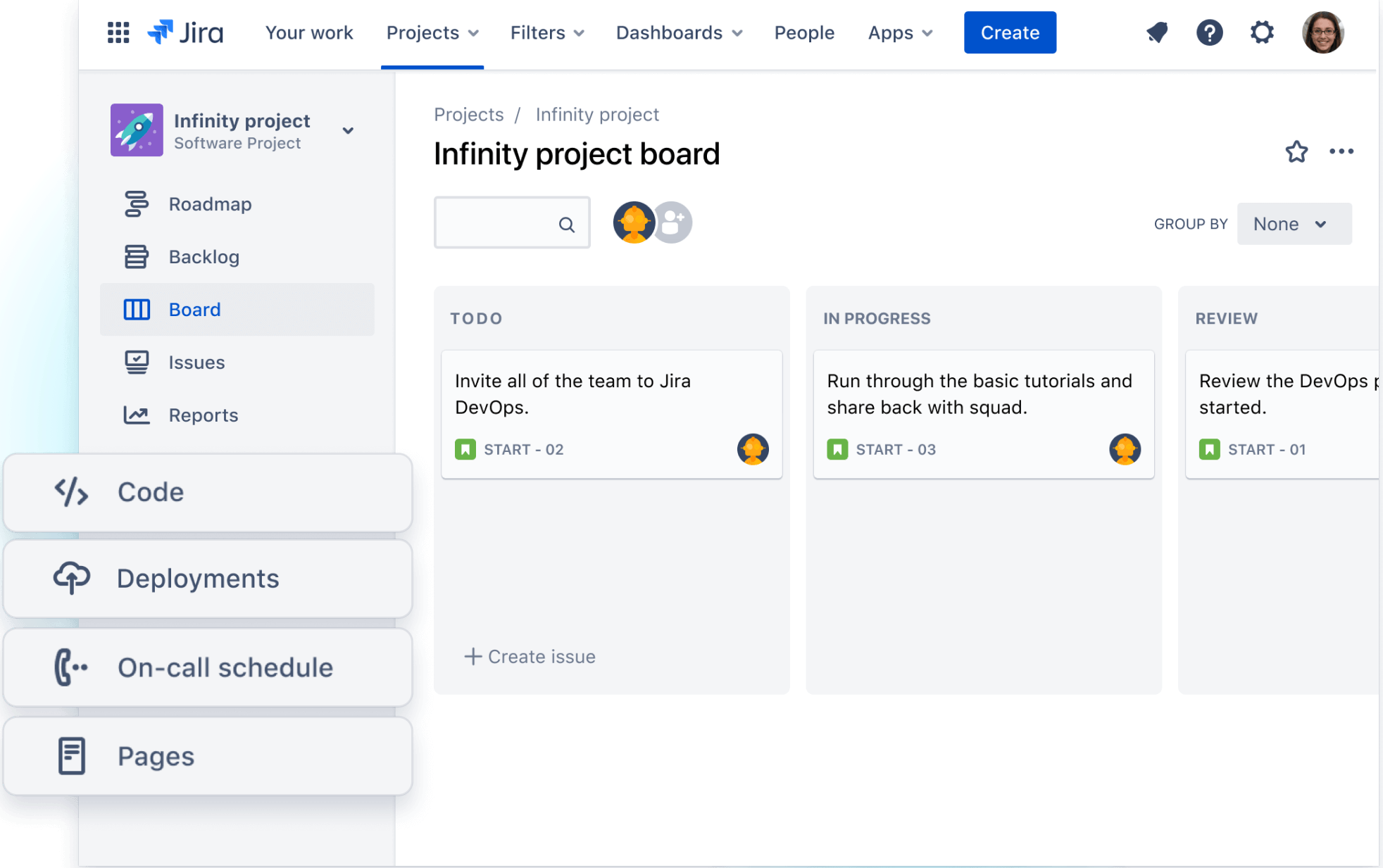
- Jira is the go-to tool for most DevOps teams. It supports both Scrum and Kanban, integrates easily with CI/CD tools, and provides a single place to manage backlogs, sprints, and dependencies.
- Linear is a lighter alternative. It is not as customizable as Jira, but it is much easier to use. It works for smaller teams that want less setup and faster onboarding.
- Azure Boards tracks work within the Azure DevOps platform. It lets you manage tasks, sprints, and delivery plans alongside your code and pipelines in one place.
CI/CD Workflows
These tools handle how code moves from development to production.
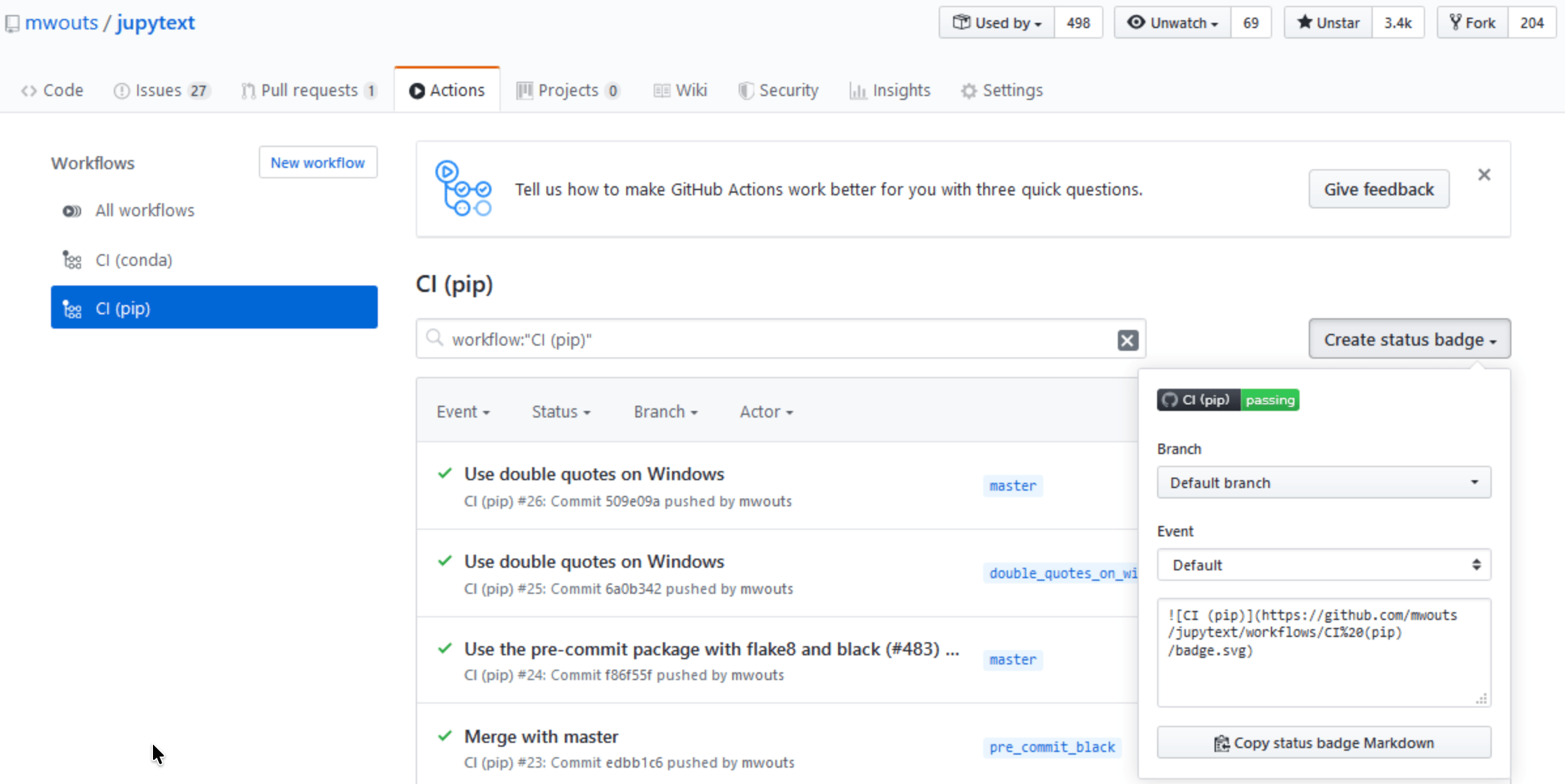
- GitHub Actions runs your build, test, and deployment workflows in GitHub. If your team already uses GitHub, this is often the easiest place to start.
- CircleCI is built for teams that need more flexibility and control. It handles complex pipelines well and lets you customize how code flows through each stage.
- ArgoCD is designed for Kubernetes environments. It keeps your deployments in sync with your code and makes sure what is running in production matches your repository.
Monitoring and Incident Management
This is how you track what is happening in production and how quickly your team responds to issues.
- Datadog gives you real-time visibility into performance, infrastructure, and deployments.
- PagerDuty handles alerts and on-call management. When something goes wrong, it ensures the right person is notified, and the issue is tracked until it is resolved.
Communication
This is what keeps everything connected across the team.
- Slack is where most DevOps teams communicate in real time. It pulls in alerts, deployment updates, and pipeline notifications so everyone stays in the loop without switching tools.
- Confluence is where teams document how things work. It stores runbooks, incident reviews, architecture decisions, and internal processes.
Common pitfalls and how to avoid them
DevOps efforts often fall short for reasons beyond tools or a lack of technical expertise. Common pitfalls include unclear processes and poorly defined roles, as well as treating DevOps as a tool upgrade instead of a change in how people work together. The following are common mistakes teams make, along with how to address them.
- Treating DevOps as a tool adoption, not a culture shift
Buying new tools does not make a team DevOps-ready. If development and operations continue to pursue separate goals, tools will not solve the problem. Focus first on shared rituals and accountability, then invest in platforms that support that structure. - Skipping retrospectives
Retrospectives are where teams identify what went wrong and how to improve. When teams skip them or avoid honest discussion, the same issues continue to surface. Make retrospectives a part of every sprint or delivery cycle. - Automating without understanding the workflow
Automation can speed up work, but it also amplifies existing problems. If the process is flawed, automation will make those flaws happen faster. Map the workflow first, identify delays or errors, then automate once the process is sound. - Ignoring operational work during sprint planning
Operational tasks such as incidents, hotfixes, and maintenance still take time during a sprint. If you do not account for this work, the team will struggle to meet commitments. Set realistic expectations by including a buffer for operational demands in each cycle. - Measuring output instead of outcomes
Metrics like velocity or ticket count tell you how much work is done, but not how well the product performs. Focus instead on delivery and reliability metrics that reflect real outcomes and user impact.
FAQs
What are DORA metrics and why do they matter for DevOps?
DORA metrics (Deployment Frequency, Lead Time for Changes, Change Failure Rate, and Mean Time to Recovery) are the four key performance indicators developed by Google’s DevOps Research and Assessment team. They give project managers objective data to assess pipeline health, justify automation investments, and communicate engineering performance to non-technical stakeholders.
Is Scrum or Kanban better for DevOps project management?
Kanban is generally better suited to DevOps environments with continuous delivery pipelines and unpredictable work streams (e.g., ops, incidents, hotfixes). Scrum works well when feature work is predictable and can be planned in two-week sprints. Mature DevOps teams use a combination of Scrum for new feature development and Kanban for continuous operations and support.
Do I need a DevOps certification to manage DevOps projects?
Certifications are not required, but common options include DevOps Foundation, AWS DevOps Engineer, and Agile or Scrum certifications such as CSM or PMI-ACP. Project managers also benefit from hands-on experience with CI/CD pipelines, sprint facilitation, and interpreting deployment dashboards.