

























Key takeaways
 A project handover template should capture the current project status, outstanding work, key contacts, risks, and immediate next steps so the incoming owner can continue the project with minimal disruption.
- The most effective handovers preserve context as well as status. Decision history, known workarounds, dependencies, and access requirements prevent knowledge loss when responsibility changes.
- Project management software offers handover templates for different needs: ClickUp supports coordinated responsibility changes, Miro focuses on knowledge transfer during active projects, and Smartsheet offers a handover checklist.
Free project handover template
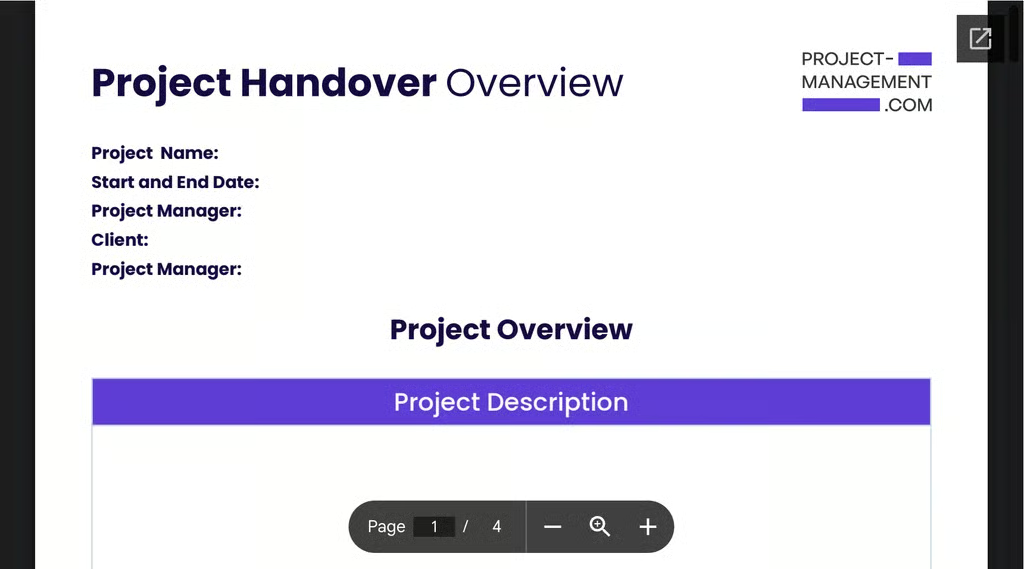
Looking for a quick starting point? Download our free project handover template and adapt it to your project.
What is a project handover?
A project handover is the process of transferring responsibility for a project, deliverable, or work phase from one person or team to another. It gives the incoming owner the information they need to understand the project’s current status and continue the work with minimal disruption.
An effective handover also includes context that may not be obvious from the project plan alone, such as the reasons behind key decisions, dependencies, and unresolved issues. For complex projects, a short transition period gives the new owner time to ask questions before taking full responsibility.
When do you need a project handover?
You typically need a project handover when responsibility changes or when important project knowledge could be lost during a transition.
- A project manager leaves or changes roles: The incoming owner needs the current status, open tasks, and upcoming deadlines.
- Ownership moves between teams: This often happens between project phases or when delivery shifts to operations.
- A vendor or contractor finishes its work: The client or internal team needs documentation, access details, and unresolved items.
- A project owner is on extended leave: A temporary handover lets another person manage priorities and stakeholder requests while the project owner is away.
- A key leader or SME holds critical project knowledge: A handover can document decisions, dependencies, and recurring issues before that person becomes unavailable.
Benefits of a well-executed project handover
A well-executed project handover helps the new owner resume work with less confusion and fewer delays. It also preserves project knowledge that may otherwise be lost when responsibilities change.
- Faster transition: The incoming owner can see what has been completed, what is still in progress, and what needs attention next. This reduces the time spent figuring out the current project status.
- Lower knowledge-loss risk: Decision history, stakeholder expectations, and known workarounds remain available after the original owner steps away.
- Fewer missed commitments: Upcoming approvals, meetings, dependencies, and deadlines are documented before ownership changes.
- More reliable ownership transfer: The receiving person can confirm access, responsibilities, and next actions before taking full control of the project.
What should a project handover include?
A project handover typically includes the project status, outstanding work, key contacts, and upcoming deadlines. It should also document risks, decisions, access requirements, and the next actions the incoming owner needs to take.
| Project handover section | What to include |
| Project status | Current phase, progress, completed work, and outstanding tasks |
| Upcoming commitments | Deadlines, milestones, meetings, and pending approvals |
| Roles and contacts | Key stakeholders, task owners, vendors, and escalation contacts |
| Risks and dependencies | Open issues, blockers, and external dependencies that could affect delivery |
| Decision context | Important decisions and the reasons behind them, especially when they affect future work |
| Access and resources | Links to project files, systems, dashboards, and instructions for requesting access |
| Known workarounds | Manual processes, temporary fixes, or tasks that depend on one person |
| Immediate next steps | Priority actions the incoming owner should handle after the handover |
Project handover templates & examples
Project handover templates give teams a repeatable way to transfer work between people or departments. Using the same process each time makes handovers easier to scale and gives incoming owners a more predictable set of information to review.
Below are project management platforms with different approaches to handover planning, from knowledge transfer to checklist-based completion tracking.
1. For coordinating responsibility transfer
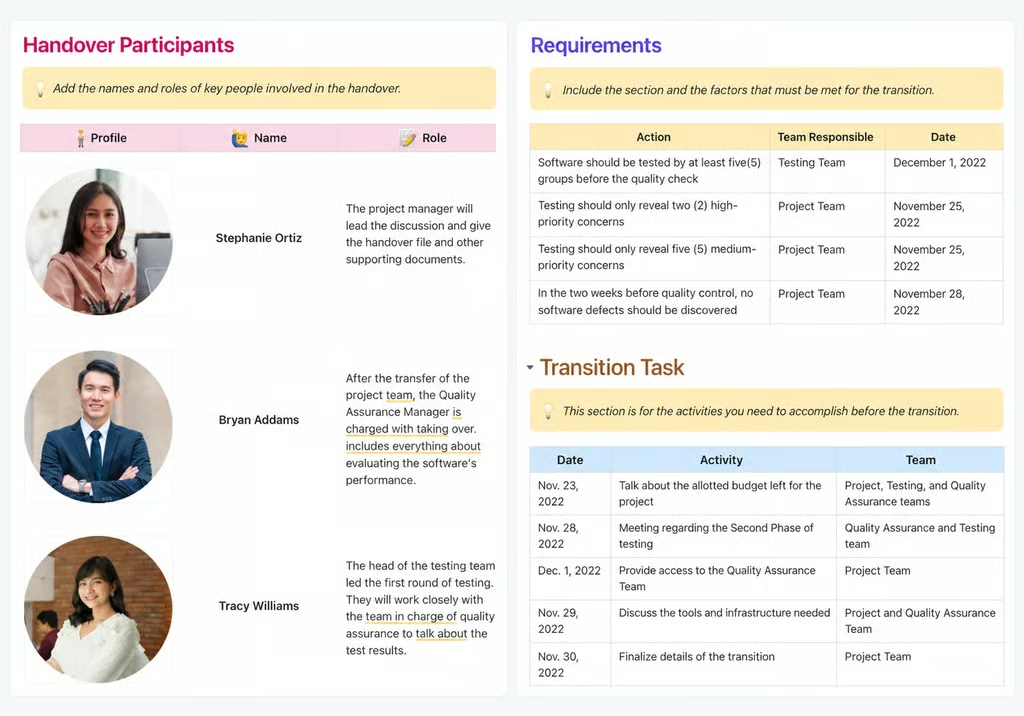
This ClickUp template is built for handovers where several people or teams are responsible for different parts of the transition. It identifies who is involved, which requirements must be met before ownership changes, and what transition tasks remain. This helps teams coordinate the transfer and confirm responsibilities before the incoming owner takes over.
2. For tracking handover completion
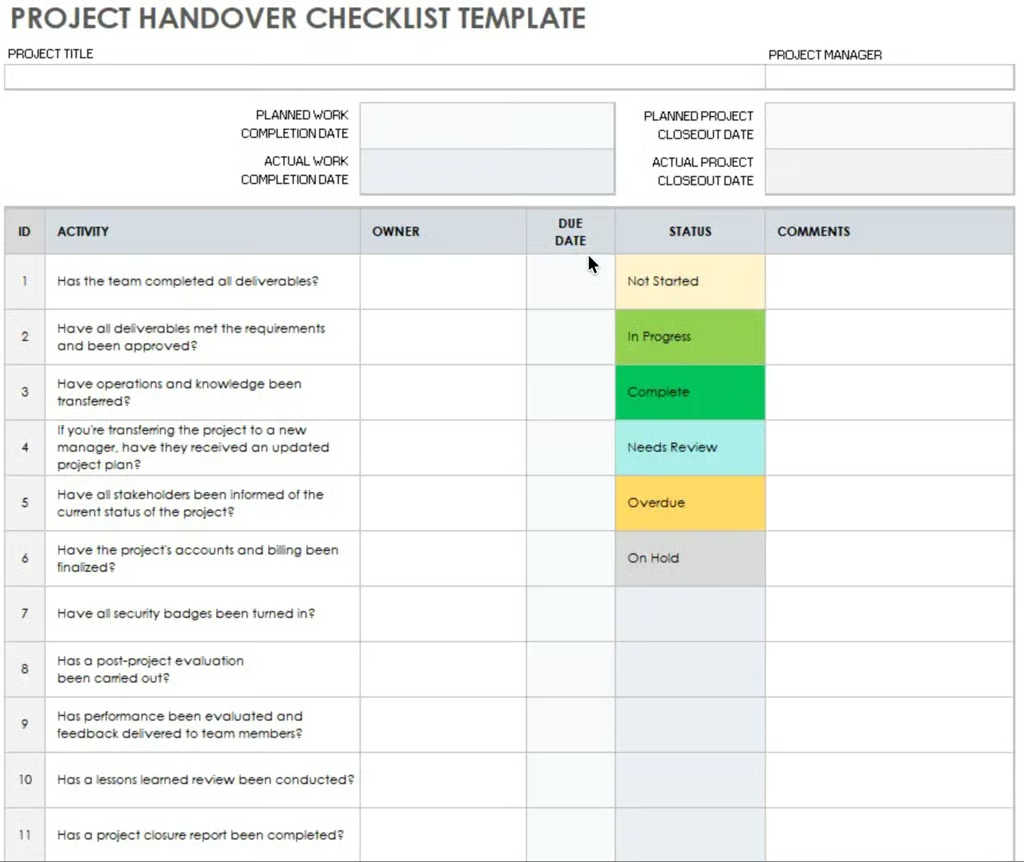
If you need to track whether each handover task is complete, Smartsheet uses a checklist format to track activities, owners, due dates, statuses, and comments. Planned versus actual completion dates show where closeout work is delayed. This works best for projects with closeout requirements, such as deliverable approval, documentation updates, lessons learned, or financial completion.
3. For transferring project knowledge
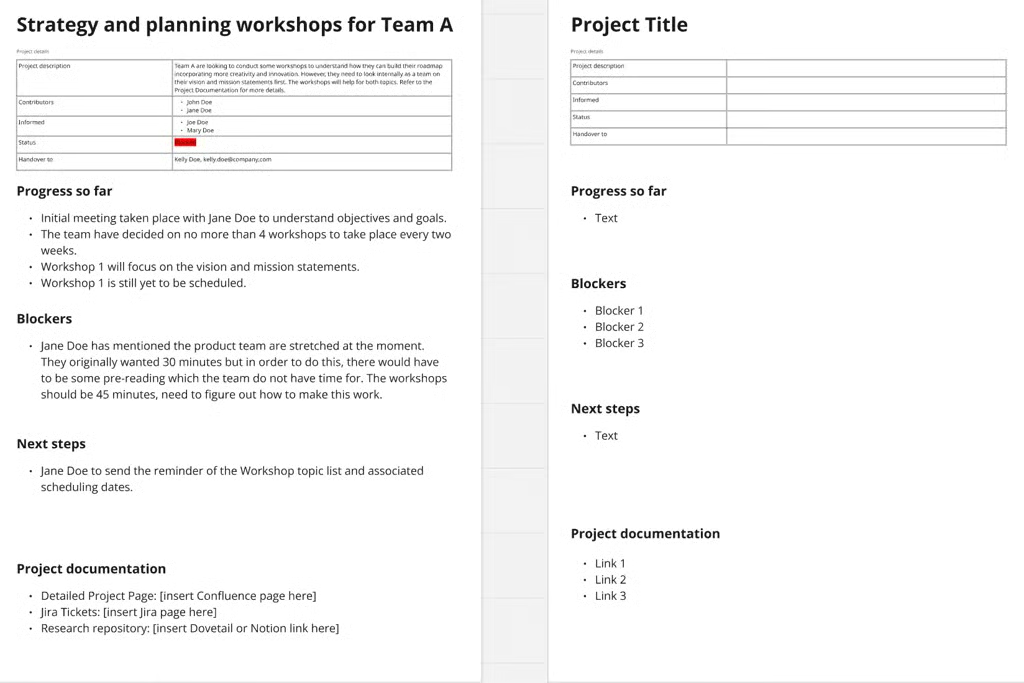
Miro’s project handover sample organizes the handover around what the next owner needs to know about the project, such as current progress, blockers, next steps, and supporting documents. The template suits active projects because it captures the context behind current priorities instead of focusing only on closeout tasks. Teams can use it to brief a replacement project manager, prepare for temporary coverage, or transfer unfinished work between departments.
Project handover checklist
A project handover checklist serves as a final check that the transfer is ready to move forward. It confirms the incoming owner has the required information and access, along with enough project context to take over confidently.
☐ Confirm the current project status and outstanding work.
☐ Assign owners to open tasks and upcoming deadlines.
☐ Review risks, dependencies, and unresolved issues.
☐ Share links to project files, systems, and supporting documents.
☐ Confirm required access and permissions.
☐ Review recent decisions and the reasons behind them.
☐ Identify immediate next steps for the incoming owner.
☐ Confirm that key stakeholders are aware of the transition.
☐ Complete any required approvals or handover sign-off.
Tips for an effective project handover
An effective project handover should help the incoming owner understand the work and current priorities. Beyond documenting status and responsibilities, the handover should preserve context that may otherwise disappear during the transition.
- Document why key decisions were made. Most handover templates capture decisions, but the reasoning behind them is often more valuable to the next owner. Note any constraints, rejected options, or stakeholder preferences that could affect future choices.
- Track pending approvals. Document anything still waiting for approval, such as budgets, expenses, or key project decisions. Include the current status, who needs to approve it, and what remains before final approval so the incoming owner knows what is still in limbo.
- Flag workarounds and single-person dependencies. Call out manual processes, temporary fixes, or tasks that only one person knows how to complete. These are easy to miss in a standard status report but can cause delays after ownership changes.
- Prioritize the first few actions after handover. Instead of leaving the incoming owner with a long list of open tasks, identify what needs attention first. Include near-term deadlines, pending approvals, and decisions that could block progress.
- Test the handover from the recipient’s perspective. Ask the incoming owner to locate a key file, access a required system, or explain the next milestone using the handover materials. This can reveal missing access or unclear instructions before the outgoing owner steps away.
- Set a short follow-up window. For complex projects, set a short period after the transfer when the previous owner remains available for questions. This gives the new owner time to address issues that may come up once they take over the project.
- Keep changing information in its source system. Use the handover document to link to the current schedule, risk register, budget, or task board instead of copying information that may soon be outdated. This helps prevent conflicting versions of project data.
FAQs
What is the difference between a project handover and transition plan?
A project handover documents the information needed to transfer responsibility, such as status, open tasks, risks, and key contacts. A transition plan focuses on how the transfer will happen, including timing, responsibilities, training, and the steps required before the new owner takes over.
Does a project handover need sign-off?
A project handover does not always require sign-off, but it can be useful for client work, regulated projects, or operational transfers. Sign-off confirms that the receiving party has reviewed the handover and accepted responsibility for the project or deliverables.
Who prepares the project handover document?
The current project manager or project owner usually prepares the project handover document, with input from team members who manage workstreams or systems. The incoming owner should review it before the transfer to confirm that the information, access, and responsibilities are clear.