

























Missing product details or late approvals can delay material orders and hold up work on-site. A construction submittal provides the reviewer the information it needs to inspect a proposed product or method before work proceeds. In this article, I explain how construction submittals move through review and how project teams can track them without delaying procurement.
- What is a submittal in construction?
- Why are construction submittals important?
- Types of construction submittals
- Who prepares and approves construction submittals?
- How does the construction submittal process work?
- How software helps manage construction submittals
- What should a construction submittal include?
- What is a construction submittal log?
- What do construction submittal statuses mean?
- Construction submittal vs RFI vs change order: What is the difference?
- Common construction submittal mistakes
- FAQs
What is a submittal in construction?
A construction submittal is information or a physical sample a contractor sends to the reviewer for evaluation before purchasing materials or starting the related work. It shows whether the proposed product or installation follows the contract requirements and reflects the designer’s intent. The contract documents specify which items require submittals.
For example, an electrical subcontractor who submits a manufacturer’s cut sheet for a light fixture before placing the order. The reviewer checks the selected model and performance details against the project specifications.
Are submittals part of the contract documents?
Construction project submittals are generally not part of the contract documents. Rather, they show how a contractor’s proposed materials or work will meet the contract requirements. An approved submittal does not replace the original drawings or specifications unless the parties modify the contract. Exact obligations depend on the contract used for the project.
Why does submittal approval not transfer contractor responsibility?
An architect or engineer generally reviews a submittal only to check whether it conforms to the design intent and contract requirements. Approval does not make the reviewer responsible for dimensions, installation methods, or coordination between trades. If responsibility is unclear, review the applicable contract before work proceeds.
Why are construction submittals important?
Construction submittals are an important part of construction project management because they connect contract requirements with procurement and installation decisions. They allow the designated reviewer to verify proposed products and work before they reach the jobsite.
The submittal review catches incorrect selections and missing details that could affect quality. If approval arrives late, material orders or fabrication may be delayed. Installation can also stop, and crews may have to wait until the reviewed documents are returned.
Below is a quick look at how submittal issues can affect a project:
| Submittal problem | Possible project outcome |
|---|---|
| Missing product data ➜ | Review is returned as incomplete |
| Incorrect model selected ➜ | Submittal is rejected or revised |
| Approval arrives late ➜ | Ordering or fabrication is delayed |
| Outdated revision is used ➜ | Incorrect material may be installed |
Types of construction submittals
Submittals in construction can include shop drawings, product data, samples, mockups, or calculations. Some require approval before fabrication or installation, while others provide test results or records for reference. The project specifications identify which types are required and who reviews them.
| Submittal type | Typical preparer | Typical reviewer | Purpose | Example |
|---|---|---|---|---|
| Shop drawings | Subcontractor or fabricator | Architect or engineer | Show how a project component will be fabricated or installed | Custom ductwork drawing |
| Product data | Manufacturer or supplier | Architect or engineer | Confirm that a selected product meets project specifications | Light-fixture cut sheet |
| Samples | Subcontractor or supplier | Architect or owner | Verify the appearance or quality of a material | Paint chip or flooring sample |
| Mockups | Contractor or subcontractor | Architect or owner | Demonstrate workmanship or the appearance of an assembly | Full-size exterior wall section |
| Calculations | Contractor or engineer | Engineer of record | Verify that proposed work meets technical requirements | Electrical load calculation |
| Certificates and test reports | Manufacturer or testing agency | General contractor or design team | Document material quality or test results | Concrete test report |
| Warranties & closeout documents | Contractor or manufacturer | General contractor or owner | Provide operating information and final project records | Equipment warranty or maintenance manual |
Who prepares and approves construction submittals?
Subcontractors and suppliers usually prepare the technical information. Before the package is submitted for review, the general contractor checks it and sends it to the designated reviewer. An architect or engineer typically issues the response, but the contract may assign review or approval authority to another party.
| Project participant | Responsibility |
|---|---|
| Subcontractor | Prepares the submittal for its scope and confirms the work meets project requirements |
| Supplier or manufacturer | Provides product data, samples, or fabrication details |
| General contractor | Checks the package for completeness, records it in the log, and sends it to the designated reviewer |
| Architect or engineer | Reviews the submittal for conformance with the design intent and issues a response |
| Project owner | Reviews items that require owner input, such as finish or equipment selections, when specified in the contract |
How does the construction submittal process work?
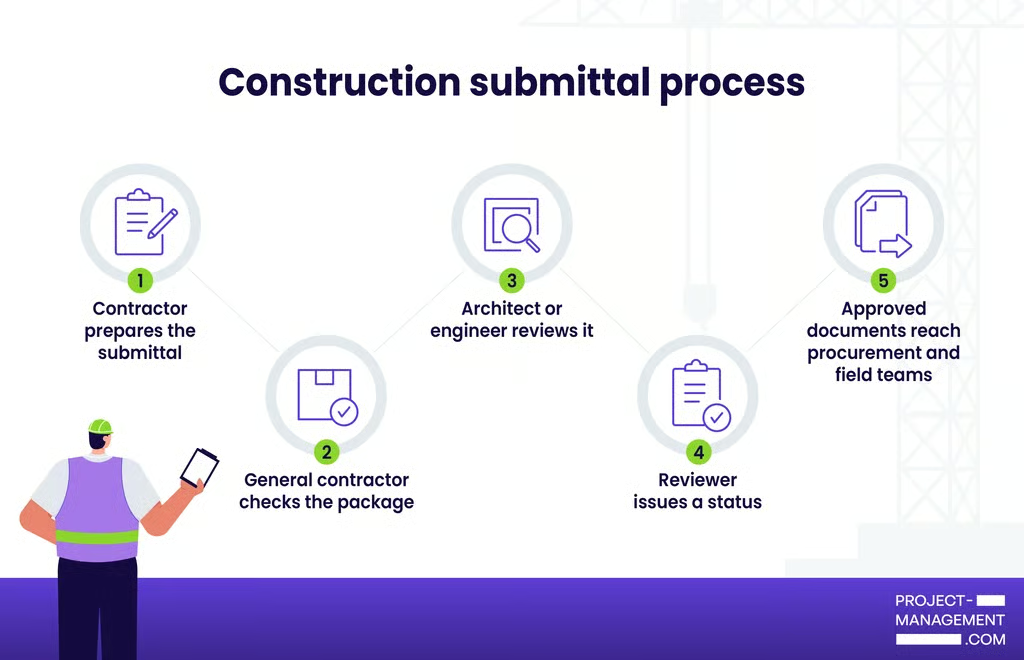
The construction submittal process begins with the contract requirements. The package then moves through contractor review before it reaches the designated reviewer. Once a response is issued, the reviewed information goes to the people responsible for ordering or installation. Although the exact route depends on the contract, most submittals follow the steps below.
For this walkthrough, I’ll use an HVAC equipment submittal to show how the process works.
1. Identify the submittal requirements
To determine which items require submittals, the general contractor reviews the specifications and drawings. The contract documents may also specify the required format and review period. Each requirement should be assigned to the subcontractor responsible for that part of the work.
Example: The mechanical specifications require product data and shop drawings for a rooftop HVAC unit. They also identify the mechanical engineer as the reviewer.
2. Add the item to the submittal log and schedule
The general contractor adds the item to the submittal log and sets its due date. Since the package must be prepared and checked before submission, the schedule should allow time for both tasks. It should also account for possible resubmission so fabrication or delivery can begin before the equipment is needed on-site.
Example: The unit is needed on-site by October 1 and requires 12 weeks for fabrication. After adding the contract review period and time for a possible resubmission, the project manager sets an early June submission deadline.
3. Prepare and check the submittal package
The HVAC subcontractor collects the required product information from the manufacturer. The package should identify the exact model, selected options, and applicable specification section. Any proposed deviation from the contract requirements should be declared.
The general contractor reviews the package before sending it to the designated reviewer. At this stage, the general contractor checks whether the package is complete and accounts for related work. If information is missing, the package may be returned to the subcontractor for correction.
Example: The subcontractor submits the rooftop unit cut sheet and equipment schedule. During its review, the general contractor notices that the selected electrical requirements differ from the electrical drawings, so the package is returned for clarification.
4. Track and route the submittal in project management software
After the package passes the contractor’s review, the general contractor creates or updates its entry in the submittal log, preferably in project management software. The record should include the tracking number, current revision, submission date, and responsible reviewer. The software can track deadlines and retain earlier versions, allowing the team to identify the current version of the document.
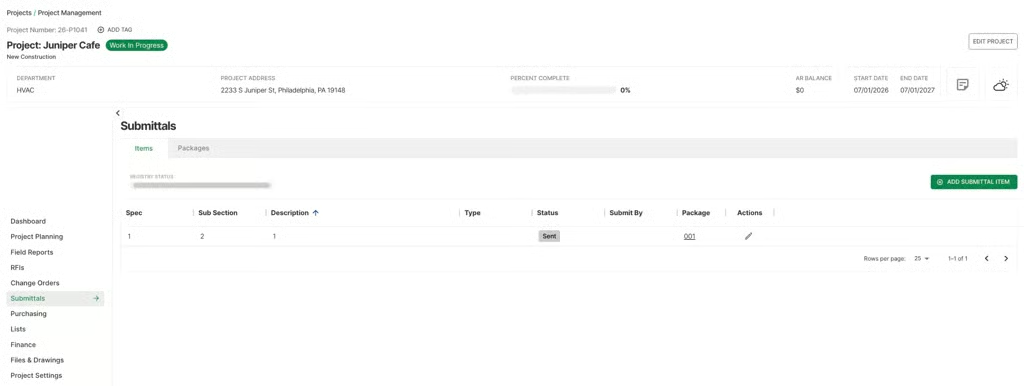
Commercial contractors can use construction project management software such as BuildOps to track submittal statuses and approval deadlines within the project record. Its version control also gives office and field teams access to the latest approved documents throughout the project.
5. Send the package to the designated reviewer
Once the general contractor has reviewed the package, it submits the documents to the architect or engineer named in the contract. Some projects also require a specialist consultant to review certain technical details. The project team should record the submission date and contractual review deadline so it can track the response.
Example: The rooftop unit package is sent to the mechanical engineer, who checks whether the proposed equipment corresponds with the design intent and specified performance requirements.
6. Record and act on the review response
The reviewer returns the submittal with a response such as approved, approved as noted, revise and resubmit, or rejected. The general contractor records the response date and sends the comments to the subcontractor.
An “approved as noted” response may allow the team to proceed with the work after it addresses the listed comments. A “revise and resubmit” response requires a new version before the contractor can order or fabricate the item.
Example: The engineer requests a revised curb detail because the submitted dimensions do not match the roof opening. The subcontractor corrects the drawing and submits a new version under the same tracking record.
7. Distribute the reviewed submittal
Once the submittal receives an acceptable response, the general contractor sends the reviewed version to the subcontractor and procurement team. The field crew should also receive it before installation begins so workers can confirm the correct product and follow the reviewer’s notes.
Example: The subcontractor orders the approved unit. Before installation, the superintendent checks the reviewed shop drawing to confirm the curb location and connection requirements.
8. Update the record through closeout
The general contractor keeps the final response and revision history in the project records. Related warranties or operation manuals may be collected later as closeout submittals. These records help the owner confirm what was installed and provide information for future maintenance.
Example: At project closeout, the contractor adds the unit warranty and operation manual to the project file. The owner can use these records for future maintenance or repairs.
How software helps manage construction submittals
Spreadsheets and email may be enough for projects with only a few submittals or reviewers. Once documents pass through multiple review cycles, however, teams may struggle to identify the latest version or determine who must respond next. A reviewer may respond to an outdated attachment, while the field team never receives the approved version.
Construction submittal software routes each package to the assigned reviewer and sends deadline notifications. Since field teams can open approved information on mobile devices, they do not have to rely on printed copies at the jobsite. The revision history shows what changed as well as who responded. After review, procurement staff and installers receive the accepted document.
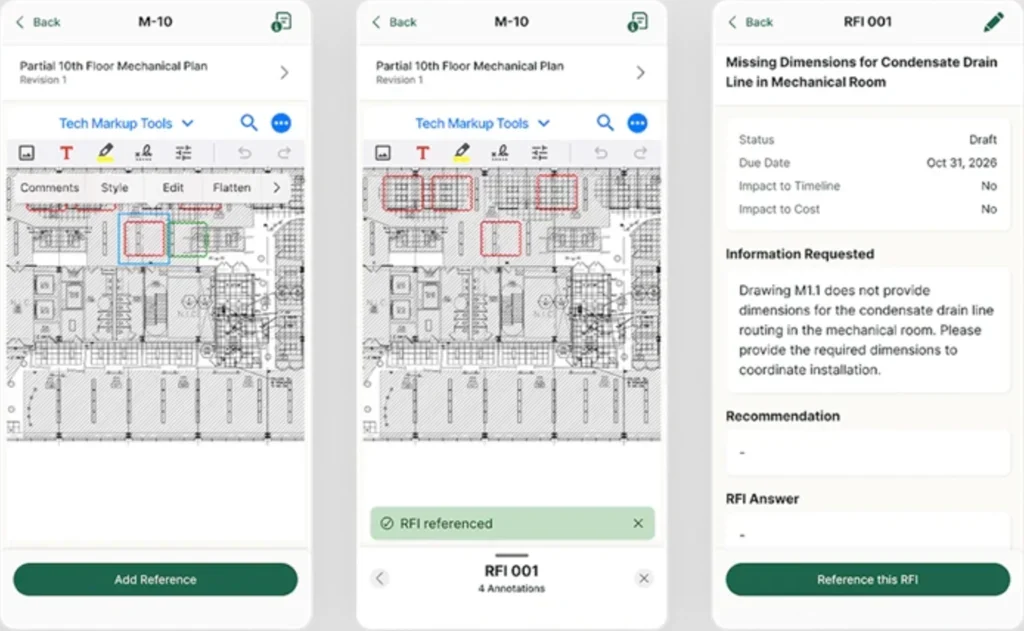
For commercial specialty contractors, BuildOps allows them to keep submittals within their own project records instead of relying solely on a general contractor’s portal for document history.
Submittal logs track statuses and due dates, while approval workflows identify the person responsible for the next review. Version control gives crews access to the latest reviewed documents, while the submittal status shows whether a pending approval may delay installation.
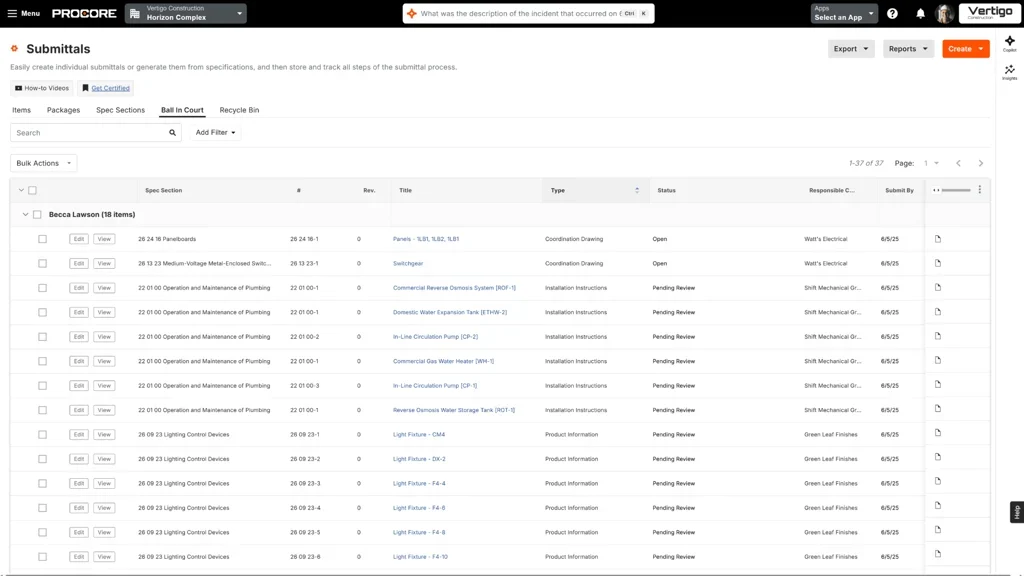
Procore lets teams route submittals and monitor due dates. The platform also preserves revision history before recording document distribution after review. BuildOps says its software can work alongside a general contractor’s platform such as Procore, so specialty contractors retain their own searchable submittal records after closeout.
What should a construction submittal include?
A construction submittal should give the reviewer enough information to identify the proposed product or work and compare it with the project requirements. The required contents vary by contract, but most submittals include the following:
- Project name: Identifies the construction project associated with the submittal.
- Specification reference: Points the reviewer to the section or drawing that contains the requirement.
- Submittal number: Gives the item a unique identifier for tracking throughout the review process.
- Revision number: Distinguishes the current version from earlier submissions and prevents teams from using outdated information.
- Important dates: Records when the submittal was sent and when a response is required. Teams may also include the date the item is needed on-site.
- Responsible parties: Names the person or company that prepared and submitted the package. It should also identify the designated reviewer.
- Selected product information: States the manufacturer and exact model proposed for the project. It includes the chosen finish or performance details when applicable.
- Supporting attachments: Provide the documents required for review, such as shop drawings or product data. Samples and test reports can be added depending on the specifications.
- Declared deviations: Identify any difference between the proposal and the contract documents. It notes the reason and any known effect on cost or schedule.
What is a construction submittal log?
A construction submittal log is a central record of every submittal required for a project. Each entry identifies the responsible party and shows its review status. Project managers also use the log to compare approval deadlines with procurement lead times so late responses do not delay installation.
Below is a completed example for a rooftop HVAC unit:
| Submittal item | Owner | Status | Planned submission date | Review deadline | Lead time | Required-on-site date |
|---|---|---|---|---|---|---|
| Rooftop HVAC unit product data | Brightline Mechanical | In review | June 11 | June 25 | 12 weeks | October 1 |
In this example, the project manager can see that the unit needs approval before its 12-week procurement period begins. If the review extends beyond June 25, the team may need to adjust the ordering or installation schedule.
What do construction submittal statuses mean?
A submittal status signals the contractor whether work may proceed or another review is required. The wording and authority of each response can vary by contract, so teams should confirm the project’s definitions before ordering materials or starting related work.
| Submittal status | What it means | Contractor action |
|---|---|---|
| Approved | The reviewer found no required changes based on the scope of the review. | Proceed with procurement or related work. Follow the reviewed submittal and contract documents. |
| Approved as noted | The submittal is acceptable after the reviewer’s comments are incorporated. Another submission is usually not required. | Address every noted correction before ordering materials or starting installation. Then send the reviewed version to the procurement and field teams. |
| Revise and resubmit | The reviewer requires changes and must review a new version before work proceeds. | Address each comment and update the revision number. Submit the corrected package through the same review route. |
| Rejected | The proposed item does not meet the project requirements or lacks sufficient information for acceptance. | Do not proceed with the related work. Prepare a new submission that resolves the reasons for rejection. |
Construction submittal vs RFI vs change order: What is the difference?
A request for information (RFI) is used to clarify missing or conflicting details in the project documents. A submittal presents a proposed product or method for review against those requirements.
An RFI may need to be resolved before a contractor can complete the related submittal. However, neither document should be used to make an undocumented change to the contract.
| Document | Purpose | Example | Typical result |
|---|---|---|---|
| Submittal | Presents a proposed product or method for review | An electrical subcontractor submits a light-fixture cut sheet before ordering | The reviewer approves it, adds notes, or requests another submission |
| Request for information (RFI) | Asks for clarification about the drawings or specifications | The drawings do not identify the required light-fixture finish | The design team provides clarification or refers the issue for a contract change |
| Change order | Formally modifies the contract | The owner selects a more expensive fixture after the contract is signed | The project scope, cost, or completion date is updated |
Change orders may be confused with RFIs or submittals, but they serve a different purpose. A change order formally modifies the contract. If an RFI response or proposed substitution affects the project scope or another contract term, such as the price or completion date, an approved change order may be required before work proceeds.
Common construction submittal mistakes
Many submittal delays occur before the package reaches the designated reviewer. If an attachment is missing or preparation starts late, the issue can reduce the review period reserved in the project schedule. Here are some submittal mistakes that can delay procurement or interrupt fieldwork.
- Submitting an incomplete package
A reviewer cannot evaluate a product when the cut sheet does not identify the selected model or required attachments are missing. Before submission, compare the package with the applicable specification section. Check that each required document is included and that the selected options are marked.
- Failing to disclose deviations
Contractors sometimes submit a substitute product without identifying how it differs from the specified item. The reviewer may overlook the change within a large set of documents, which can lead to disputes later. List every deviation on the cover sheet and explain its possible effect on cost or schedule.
- Skipping the contractor review
Manufacturer documents should not move to the designated team without a contractor check. The general contractor should confirm that the package is complete and coordinated with related work. This step can detect incorrect dimensions or missing selections before they consume the architect’s review period.
- Leaving ownership unclear
A log entry that names only a company or trade does not identify the person responsible for the response. Assign each submittal to a specific owner with a due date. When the item enters review or requires resubmission, update the owner accordingly.
- Starting long-lead submittals too late
Teams may base the submission date on the installation milestone without accounting for fabrication time. Calculate the deadline backward from the required-on-site date. The schedule should include the contractual review period and allow time for a possible resubmission.
- Using poor version control
When several file copies circulate, procurement staff or field crews may use the wrong revision. Assign each version a revision number and remove superseded copies from active folders. After approval, send the reviewed document to everyone responsible for ordering or installation.
FAQs
Who is responsible for construction submittals?
Contractors and subcontractors usually prepare construction submittals, while the general contractor manages the review route. An architect or engineer commonly reviews them for conformance with the design intent. Exact responsibilities depend on the contract, so project teams should confirm the required parties before creating the submittal schedule.
What does “approved as noted” mean on a submittal?
“Approved as noted” generally means work may proceed after the reviewer’s comments are incorporated, without another submission. Response terminology and its effect can vary by contract. The contractor should read every note, record required corrections, and distribute the reviewed version to the appropriate field or procurement teams.
How can submittals delay a construction project?
“Approved as noted” usually allows work to proceed once the reviewer’s comments have been addressed, without another submission. However, the contract determines the exact meaning of each response. The contractor should review every note and document the required corrections. The reviewed version should then be sent to procurement staff and field crews.