

























As someone who’s been using AI for project management, I’ve noticed that much of the conversation still revolves around familiar features like meeting summaries, action-item extraction, and chatbots. Amid all the AI hype, it’s fair to wonder: What else can we actually do with it?
This question led me to a Reddit discussion where project managers were sharing some of the less obvious ways they use AI. A few of their ideas might leave you wondering why you hadn’t tried them sooner.
| 💡Quick fact According to Project Management Institute’s (PMI) 2026 research, 47% of senior leaders say digital transformation and AI adoption are introducing new uncertainties that increase project complexity. As AI changes the projects we manage, learning how to use it more creatively in our work could become increasingly valuable. |
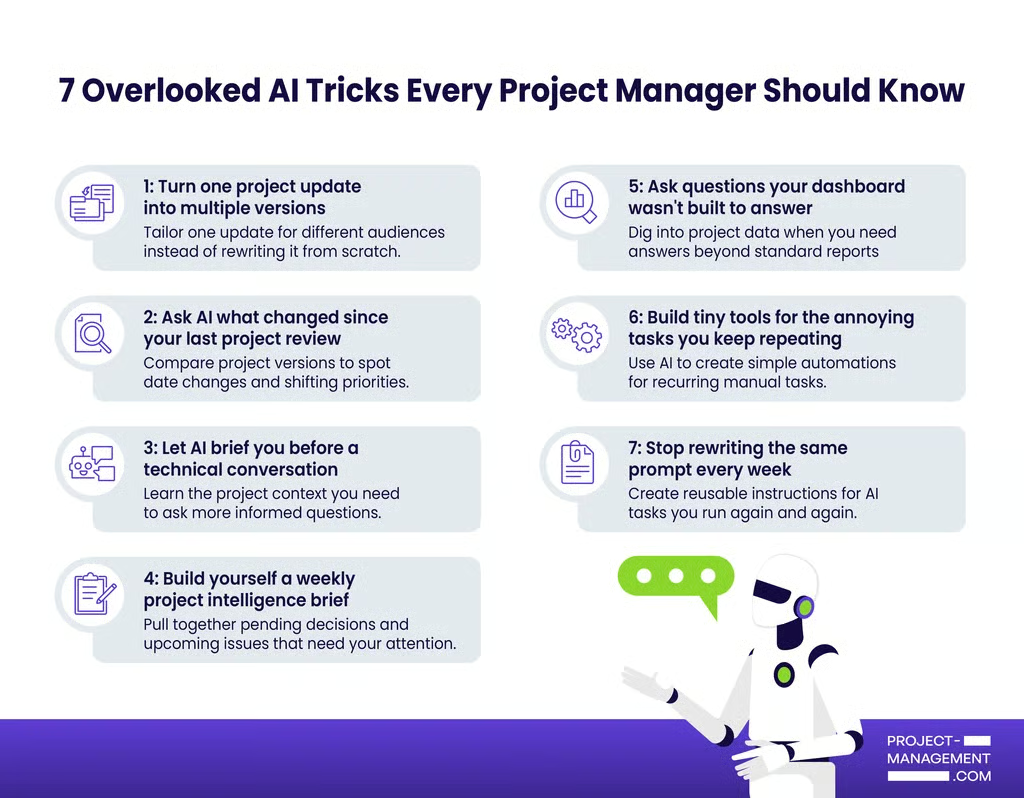
- 1. Turn one project update into multiple versions
- 2. Ask AI what changed since your last project review
- 3. Let AI brief you before a technical conversation
- 4. Build a weekly project intelligence brief
- 5. Ask questions your dashboard wasn’t built to answer
- 6. Build tiny tools for the tasks you keep repeating
- 7. Stop rewriting the same prompt every week
- Bonus: Ask AI to argue with your project plan
- The underrated part is knowing what to hand off
1. Turn one project update into multiple versions
Rewriting the same project update for your team, leadership, and a client is one of the easiest ways to apply AI. A project manager shared that they feed AI a meeting transcript and use it to create different versions of the same information for different audiences.
Start by defining what each audience needs from the update, then save those requirements as pre-built AI templates you can reuse. For example, a team template might prioritize assigned tasks and upcoming deadlines, while a leadership template can focus on schedule changes or decisions that need attention. A client version can concentrate on progress against agreed deliverables.
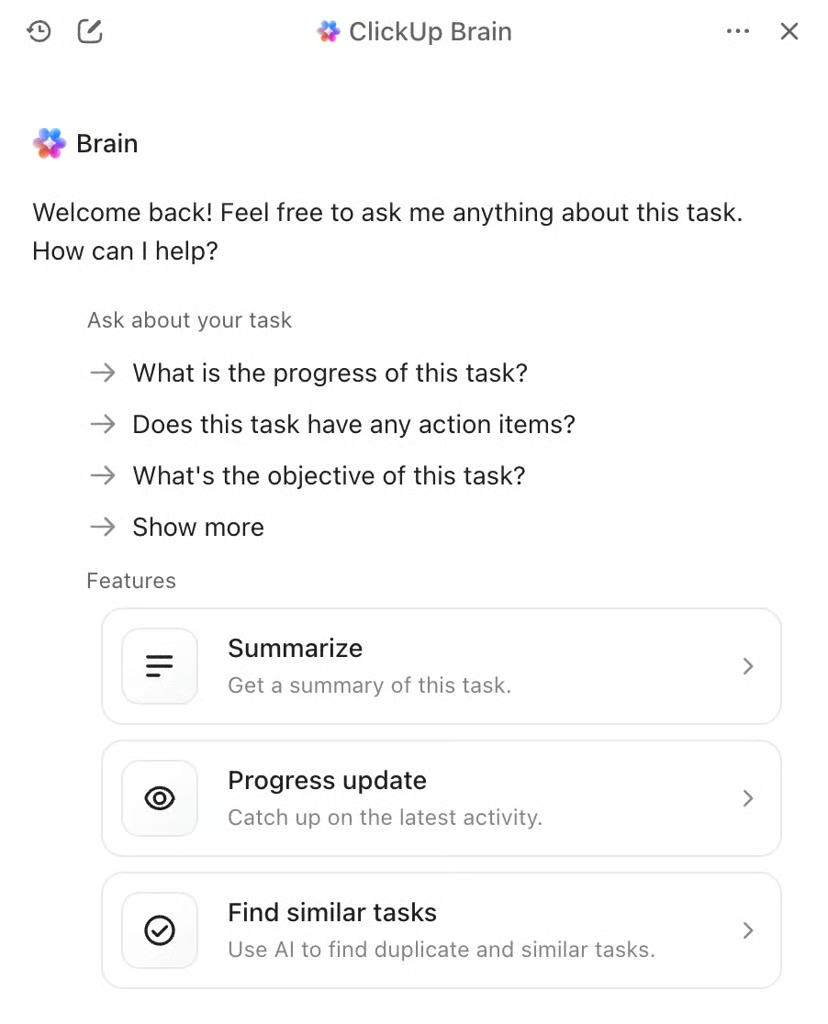
Project management platforms like ClickUp can use workspace context to generate project updates. ClickUp Brain, for example, analyzes task progress, due date changes, and recent activity from data stored in the platform, summarizing the latest project developments.
Try this: Give AI your latest project update and ask it to rewrite the information for two audiences. Specify what each audience cares about and what information should be left out.
| 🔒A quick AI privacy check Check your organization’s AI, security, and privacy policies before sharing project information with an AI tool. Project plans can contain client details, internal discussions, or other sensitive data, so confirm which tools and data types your IT or privacy team has approved for AI use. |
2. Ask AI what changed since your last project review
Compare your previous project schedule with the current version and ask AI to flag deadline changes and work that has been rescheduled multiple times. Then, have it identify any dependent tasks that could be affected. From there, AI can turn the comparison into an update for your next status meeting, including what was completed and what changed since the last review.
You can also input your usual reporting template so the update is already formatted for your project management or reporting tool, reducing the work required to transfer the information.
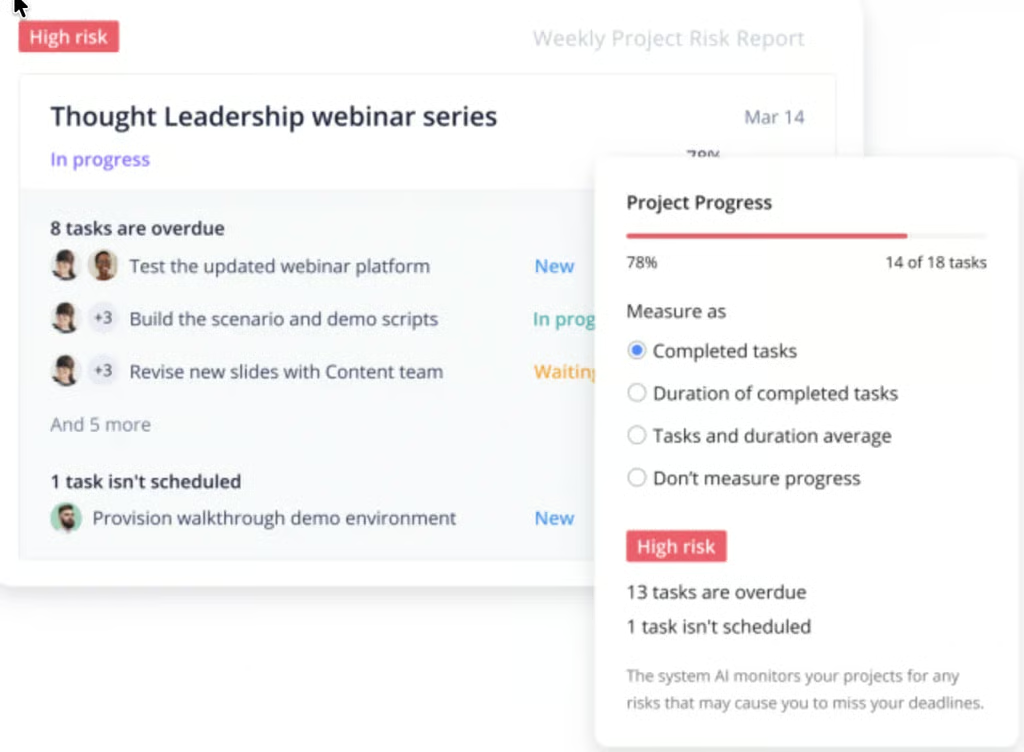
Wrike’s AI Project Risk Prediction evaluates information such as overdue work and recent project activity to identify potential risk. It rates project risk as low, medium, or high and determines the factors behind the assessment.
Try this: “Compare these two project plans. Show me every date that changed, the tasks that depend on it, and the person responsible for the next action.”
3. Let AI brief you before a technical conversation
One project manager described using AI when dealing with technical subjects. Instead of stopping at “Explain this concept to me,” they add project context and continue asking questions until they understand how the technical issue connects to the project.
Suppose your engineering team mentions database replication lag during a cloud migration. You could ask: “Explain replication lag in the context of a weekend cloud migration. What could it affect in the project plan, and what should I clarify with the engineering lead?”
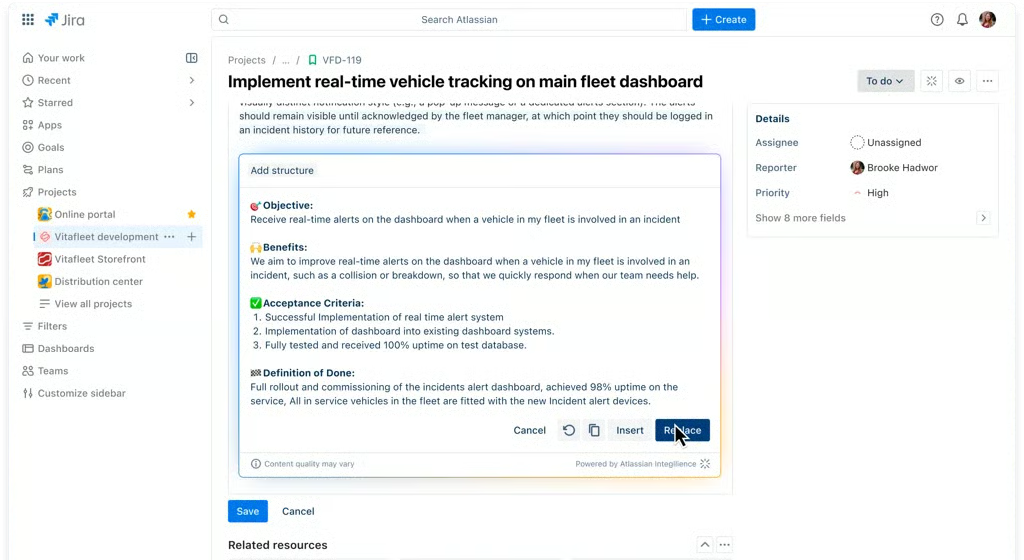
Then keep going. Ask which dependencies deserve attention or which assumptions need confirmation. Jira users can apply a similar idea through Rovo, which summarizes technical work from Jira context.
4. Build a weekly project intelligence brief
Instead of asking AI to summarize everything from the week, give it specific categories to watch. A project intelligence brief should tell you where your attention is needed next.
For example:
- Decisions that still need an answer
- Commitments with no clear owner
- Deadlines that changed during the week
- Questions raised in meetings that remain unresolved
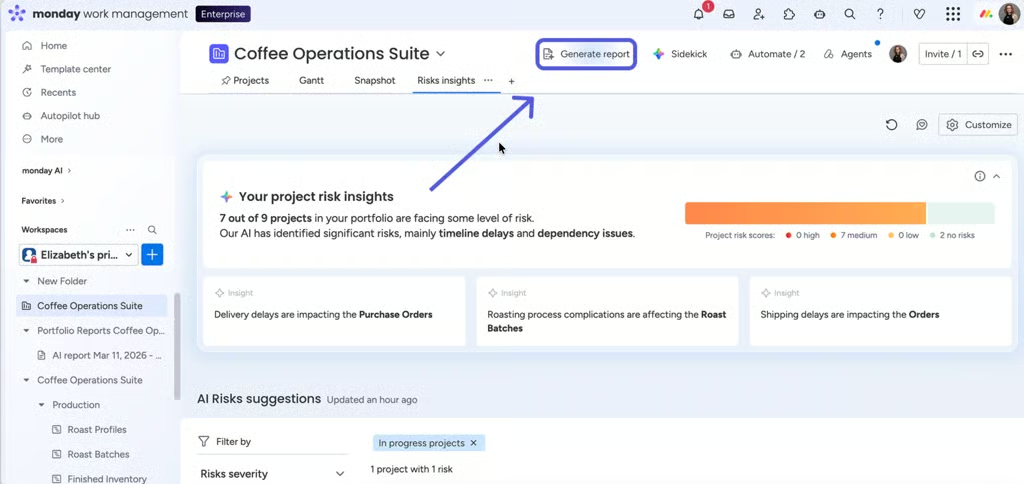
monday.com’s Portfolio Risk Insights reviews connected project boards and sends updates on potential project risks. It ranks projects by risk severity and points you to the related tasks so you can decide which projects to prioritize.
Try this: Build your brief around four or five questions you genuinely need answered every Friday. If a section never changes what you do next, remove it.
5. Ask questions your dashboard wasn’t built to answer
Most dashboards answer questions you already knew you wanted to track. AI becomes more interesting when an unexpected project problem leads to a question your dashboard cannot answer immediately.
Imagine that delivery has slowed over the past month. You could ask:
- “Compare completed work across the last four sprints. Where did cycle time increase the most?”
- “Which tasks have had their due dates changed more than twice this month?”
These are often possible to investigate manually, but the analysis can require filters, formulas, or another report.
Smartsheet’s Analyze Data feature allows users to ask natural-language questions about sheet data and generate metrics or charts. Jira users can also use Rovo to translate natural-language requests into JQL queries.
6. Build tiny tools for the tasks you keep repeating
When it comes to rearranging or reformatting reports, you can use AI to create VBA macros and HTML dashboards. A Reddit user shared that they use AI-generated VBA to process productivity data, while another described replacing Excel-based analytics with lightweight HTML dashboards.
For example, AI could help you create a macro that cleans exported project data or a script that checks records for missing fields. You could also create a lightweight dashboard from a CSV export.
monday.com’s monday vibe lets users create apps through natural-language instructions, while Notion Agent can create and modify databases based on workspace context.
Try this: The next time you catch yourself saying, “I have to do this every week,” write down the steps. Those steps may be a good candidate for a tiny AI-assisted tool.
7. Stop rewriting the same prompt every week
One Reddit commenter shared an interesting workaround for organizations where AI agents are unavailable. They created instruction sets in Copilot and assigned keywords to each. Instead of explaining the task and expectations every time, entering the keyword tells AI which instructions to apply to the information you provide.
For example, you could create a keyword such as “risk review” and tell AI to check every project update for unclear ownership, unrealistic dates, or unresolved dependencies. Each time you use that keyword with a new update, AI applies the same review criteria and returns the results in the format you already defined. This provides a reusable review process even when formal agent features are not available.
Wrike, for example, lets users configure AI Agents with predefined instructions and triggers. Asana AI Studio supports AI-powered workflows, while monday.com offers agents that can perform predefined actions based on project data.
Bonus: Ask AI to argue with your project plan
Here is one of my favorite ideas from the Reddit discussion: use AI to challenge your assumptions rather than confirm them. One commenter described pressure-testing a risk register with AI, an approach you can also apply to project schedules or status reports.
Try asking: “Assume this project fails six months from now. Based on the current plan, what are the most plausible reasons?” You could also ask: “Read this status report as a skeptical project sponsor. What would you question?”
You may get suggestions that are irrelevant or based on incomplete context, so treat the output as prompts for investigation rather than conclusions. Sometimes AI does not need to give you the answer. Its best contribution may be surfacing a question you had not considered yet.
The underrated part is knowing what to hand off
The best AI use case doesn’t always need an agent or an elaborate automation. Sometimes it starts with noticing the 10-minute task you repeat five times a week and asking whether AI could handle part of it.
Look at the work around your projects: rewriting the same update, checking what changed since last week, or preparing background research before a meeting. If you already know what the output should look like, you have a good starting point for experimenting with AI.